Connecting Exact Online: API, data access and integration
An AI connection to Exact Online stands or falls on the integration layer: authentication, rate limits, replication and logging. What is involved technically, and which choices you make up front.
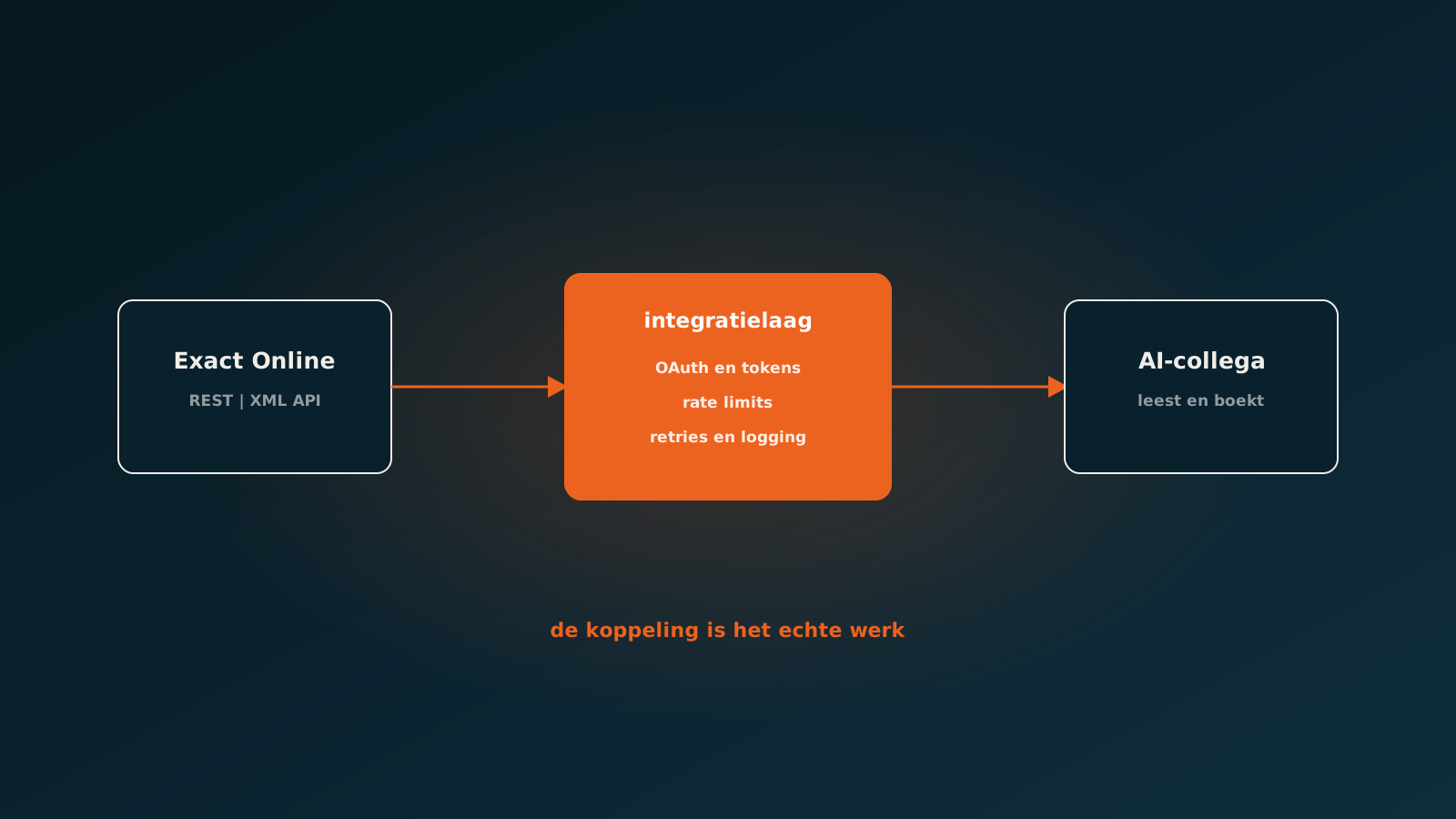
Why the connection is the real work
When people look for an AI connection to Exact Online, attention usually goes to the clever part: which model reads my invoices? In practice most of the work sits on the other side. The question is not whether a model can read an invoice line, but whether data moves reliably between your administration and the system working with it.
Exact Online is a closed cloud environment with a well documented API. That is a good thing, because you do not have to scrape or improvise. But it also means you play by that API's rules, and those rules determine what is practically possible.
How the Exact Online API works in outline
Exact Online offers a REST API and, for certain areas, an XML API. Access runs through OAuth: you register an app, the customer grants consent, and you receive a token that lets you act on behalf of that administration. That token expires and has to be refreshed, and that refresh is exactly where many home-built connections stall after a few months.
Exact also works with divisions. Each administration is its own division, and nearly every call hangs off a division number. Companies with multiple entities often underestimate this. A connection that works for one administration is not automatically a connection that works for twelve.
- OAuth tokens expire and must refresh automatically, even when nothing happens for days.
- There is a limit on calls per minute and per day, per app and per administration.
- Every call belongs to a division, so multi-entity setups need explicit design.
- Not everything you see in the screens is available through the API, or structured the same way.
Rate limits are not a detail
The limits on API calls are the single most important design constraint. If you want to fetch current stock, price or customer balance live at every step of your process, you will run out of budget faster than you expect, certainly at volume.
That forces choices. Which data do you fetch live because it has to be correct at that exact moment, and which data do you fetch periodically and keep locally? Price agreements and item master data rarely change by the hour. Open items and stock sometimes do.
A good connection makes that choice deliberately and records it, with sensible retries and a queue that spreads calls out instead of firing them in bursts. It is dull work, and it is precisely the work that decides whether your connection still runs in two years.
When to replicate data
Searches like replicate exact online do not come out of nowhere. As soon as you want something beyond a single transaction, such as reporting, analysis or comparing years side by side, you hit the limits of live retrieval.
Then you replicate: you periodically pull the relevant tables into your own data store or warehouse. There you can search, aggregate and compare freely without taxing the API every time. For analysis, and for an AI coworker's memory, that is often the right call.
- Replicate what you query often and broadly: items, accounts, price agreements, historical postings.
- Fetch live what has to be right at that moment: open items, current stock, credit limit.
- Record how fresh your replica is, so nobody decides on yesterday's data without knowing it.
- Account for deletions and corrections, not just new records.
Writing is stricter than reading
Pulling data out of Exact Online is the easy half. It gets serious once you start writing: creating sales orders, posting purchase invoices, reconciling payments. That calls for a different standard, because a mistake is no longer a wrong screen but a wrong posting.
In practice that means idempotency, so a repeated call after a timeout does not produce a duplicate order. It means validating up front on fields that Exact itself does not enforce but your administration needs. And it means logging every write with a reference back to the source document.
That is also where the difference sits between an integration that occasionally creates something and an AI coworker that makes hundreds of postings a day. The second can only exist if writing is demonstrably safe.
What this means for an AI connection
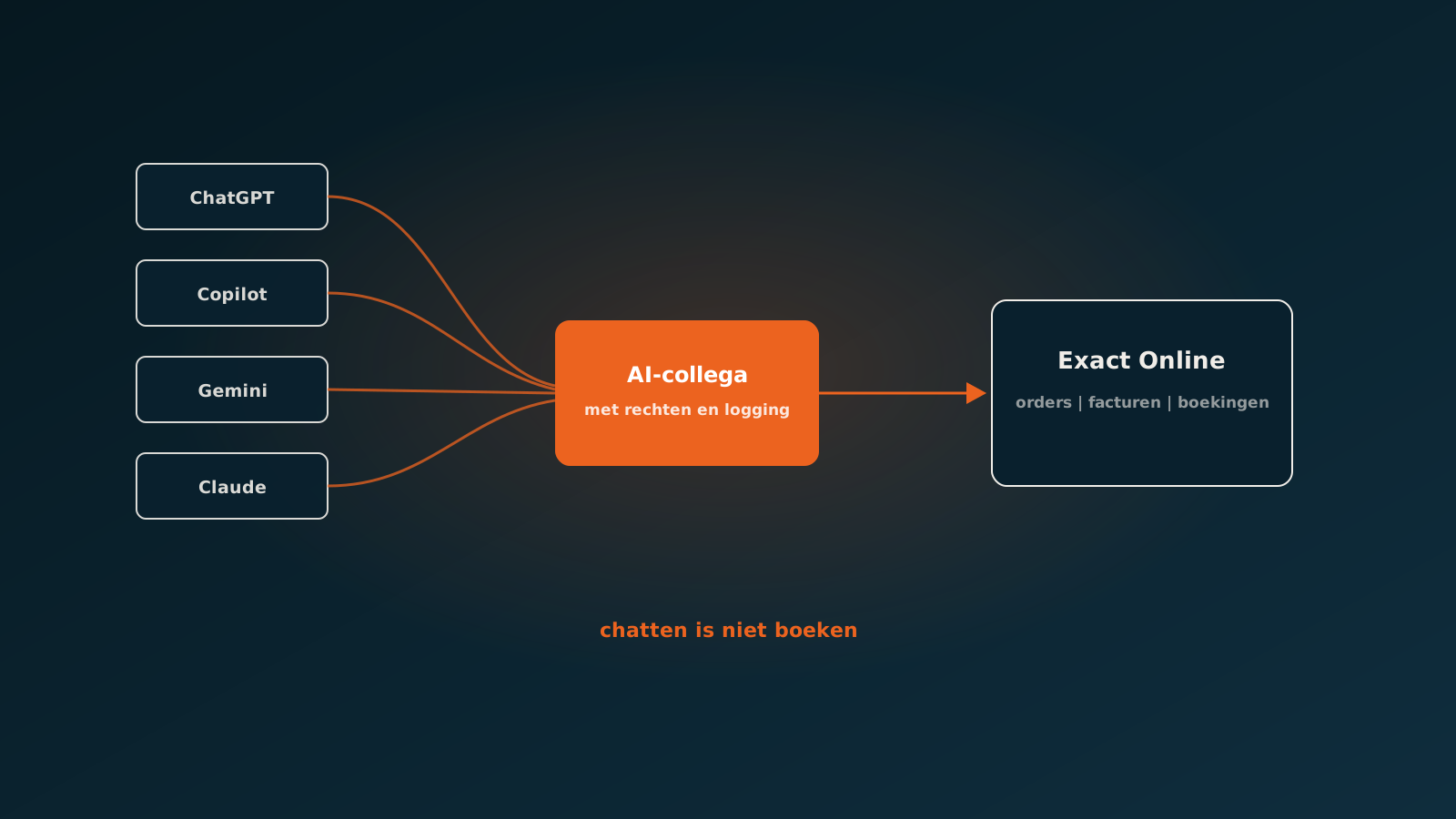
The question of what the best AI connection for Exact Online is therefore has no product answer, only an architecture answer. The model that reads the documents is interchangeable. The layer in between, handling authentication, limits, replication, validation and logging, is what you are buying.
For us that layer is fixed in the platform. The AI coworker reading orders uses the same connection as the agent matching invoices and the agent reconciling open items. That means you do not rebuild the integration per process, and for a second or third process only the logic still needs configuring.
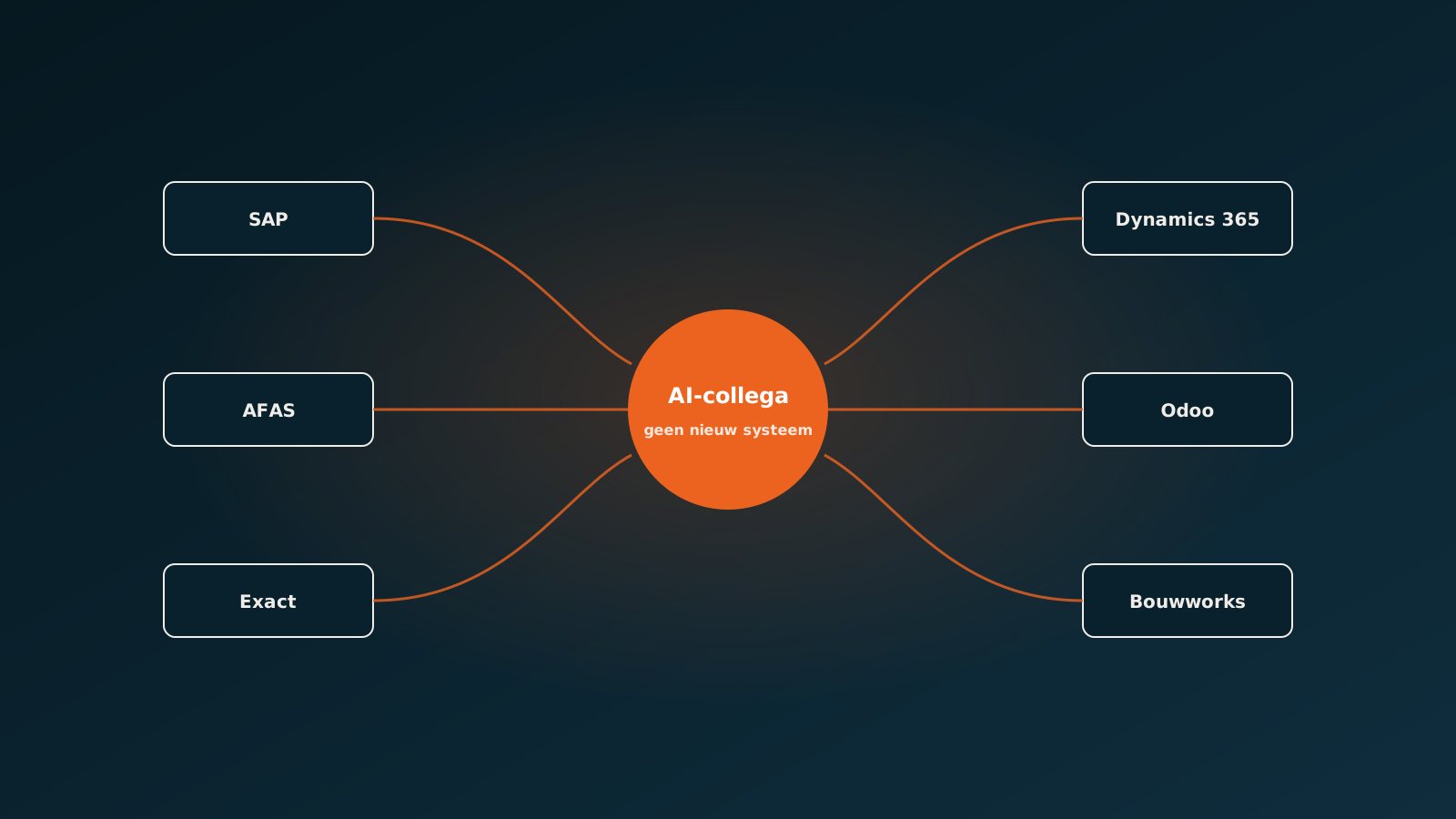
The same holds if you run multiple systems. Alongside Exact we also work in SAP, AFAS, Dynamics 365, Odoo and Bouwworks. The processes on top stay the same, only the connection underneath differs.
Getting started
If you are considering a connection to Exact Online, start with which process you want to improve and what data that process needs. The technology follows from that, not the other way round. A connection without a process is an expensive pipe with no water in it.
In a Quick Scan we look together at your administration, your volumes and the processes where time currently goes. After that you know concretely what is possible through the API, what is better replicated and which process pays off fastest. Typically you are live within eight weeks.
Curious what an AI coworker can do for your process?
Book a no-strings Quick Scan and explore the options.
Book a Quick Scan