Microsoft Copilot vs. an AI coworker: where the line sits
Copilot helps a person be faster. An AI coworker does the work itself. Two different things, two different contracts, two different ROIs. The practical boundary explained.
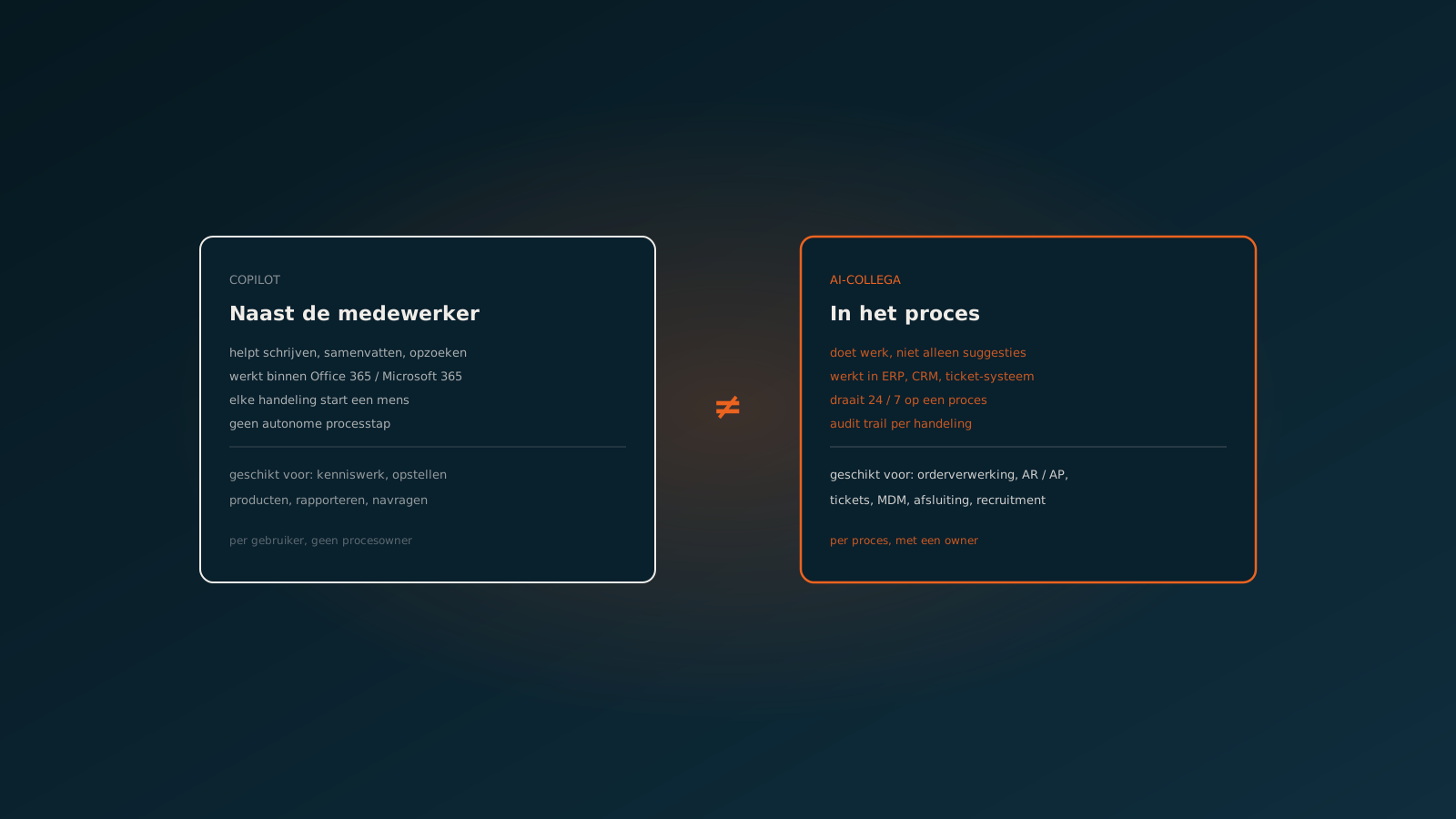
Microsoft Copilot vs AI coworker: two tools doing different work
Microsoft Copilot sits next to the employee. It helps with writing, summarising, looking things up, asking in SharePoint and Teams, and speeds up work a person already does. The anchor is the employee: without a person typing, Copilot does nothing.
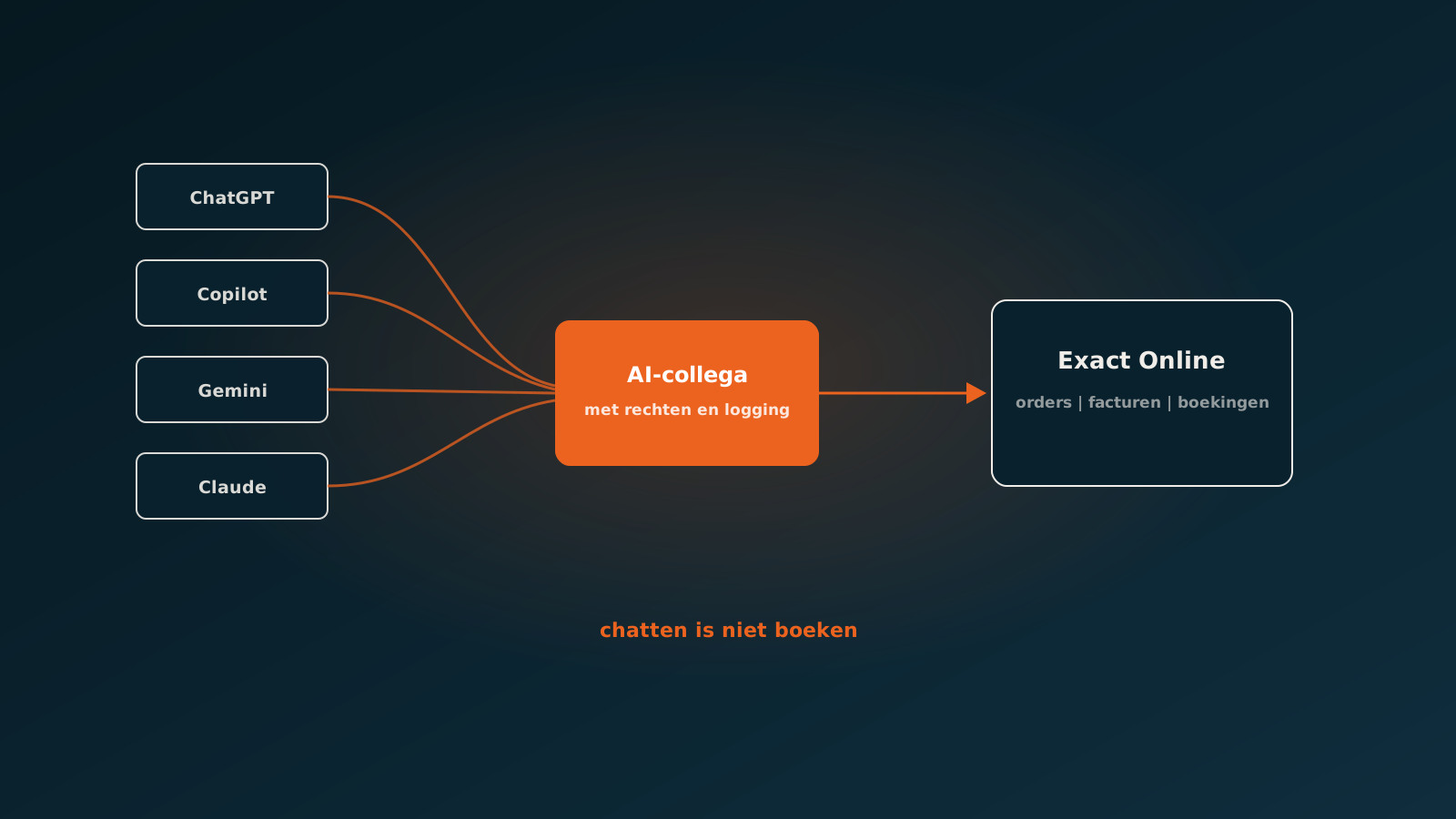
An AI coworker sits inside the process. It starts on a trigger (an email, a ticket, a time), picks up the work, executes actions in ERP, CRM or ticketing, and closes it without a person initiating each step. The anchor is a process: no process, no AI coworker.
Where Copilot lands
Copilot scores where work is inherently human and just needs to be faster. Drafting a memo, summarising a document, deriving an Excel formula, transcribing a Teams meeting, looking something up in organisational knowledge. Value sits in the minutes the employee saves per task, multiplied across a week.
Copilot ROI is often estimated conservatively. That's fair: it depends on how heavily an employee uses it daily. For knowledge workers with a lot of ad-hoc writing, it adds up. For execution work in fixed processes the contribution is limited.
Where an AI coworker does the work
An AI coworker scores on processes that are predictable, with a trigger, a defined middle, and a measurable end. An order that comes in and needs to land as a sales order in the ERP. An invoice posted with three-way match. A ticket resolved through a mutation in the ERP. A sickness notification that has to touch six systems at once.
AI coworker ROI is measured in full processes: how many orders, invoices or tickets go through without human intervention, and what's the time gain per piece. For mid-market businesses with real volume, per-process impact often exceeds the annual Copilot licence for the entire office.
The difference, summarised:
- Copilot: per user, per use, helps write and look up in Office 365.
- AI coworker: per process, runs 24 / 7, executes work in ERP and CRM.
- Copilot: measured in time saved per user per week.
- AI coworker: measured in fully automated transactions per month.
- Copilot: governance via Microsoft 365 settings.
- AI coworker: governance via your own AI policy and tools RBAC.
Copilot and AI coworker side by side, not instead of
The interesting question isn't which wins, but how you place them side by side. Copilot for the people who write, meet and search every day. An AI coworker on the three or four processes where your organisation generates the most manual hours. That's what we see working in most customer situations.
How to choose between Copilot and an AI coworker
Start with the question: is this work inherently human and just needs to be faster, or is this a process with a fixed shape that can run on its own. The first goes to Copilot, the second to an AI coworker. Plan a Quick Scan if you'd like to spar about which work in your organisation falls in which bucket.
Curious what an AI coworker can do for your process?
Book a no-strings Quick Scan and explore the options.
Book a Quick Scan