Automating service tickets in construction and installation
Re-typing service tickets by hand costs the back office hours every week. Here is how an AI coworker reads, checks and books field tickets into your project administration, with a person in the loop where it matters.
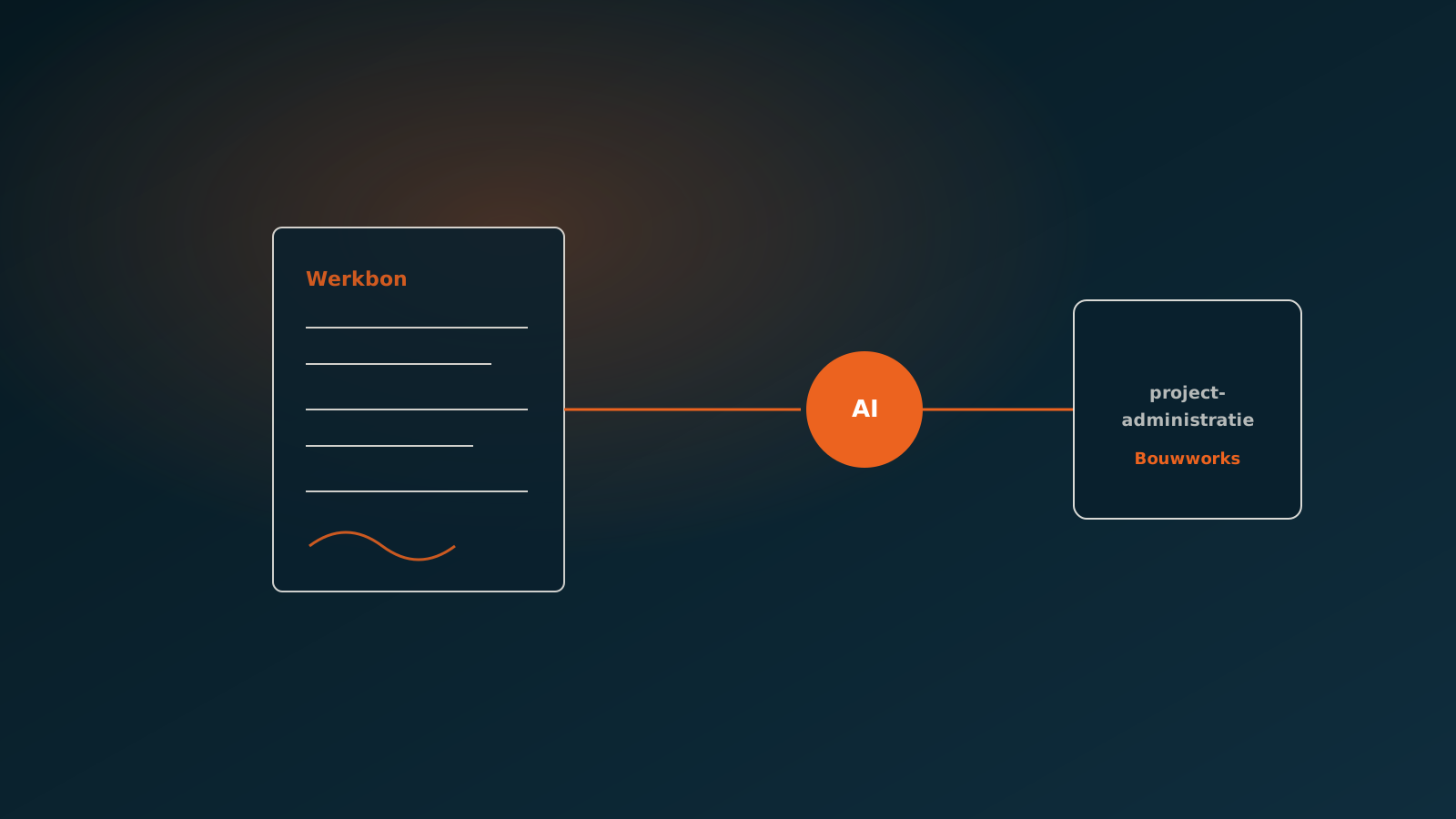
How service tickets are handled today
In construction and installation, almost every job ends with a service ticket. The engineer records the hours worked, the materials used, the location and the nature of the job, and has the customer sign off. Sometimes that happens in an app, but often it is still on paper, as a photo taken on a phone, or as a PDF that arrives by email.
Only then does the real work start. Someone at the office picks up each ticket, reads the details, finds the right project and re-types everything into the administration. With a handful of tickets a day, that is manageable. With dozens of engineers each handing in several tickets a day, it quickly adds up to hours of manual work every week, split across one or two people who already have plenty of other tasks.
The result is familiar: tickets pile up, invoicing falls behind, and the project administration no longer matches what actually happened on site. That is exactly why automating service tickets matters for construction and installation firms, because it touches cash flow and the margin per project directly.
Why service tickets are so labour-intensive
A service ticket looks simple, but it is hard to process in practice. No two tickets look alike. One engineer writes neatly, another scribbles. One ticket arrives as a crisp PDF, the next as a crooked phone photo with a shadow across it. Materials appear as abbreviations, article numbers are missing, and hours are sometimes noted as time slots and sometimes as a total.
On top of that, the ticket does not stand on its own. Before a service ticket is processed, it has to be linked to the right project, the right customer and the right order line. That takes knowledge of the running projects and sometimes a quick call to the site manager. It is that context that makes the work time-consuming, not the typing itself.
- Mixed formats: paper, photo, app export and PDF all at once
- Handwriting and abbreviations that differ per engineer
- Hours and materials noted in inconsistent ways
- Linking to the right project and the right order line
- Checking whether the recorded hours fit the agreed budget
Automating field tickets is therefore not a matter of simply scanning them in. It calls for reading messy input and reducing it to clean, checked lines in your system.
How an AI coworker processes a service ticket
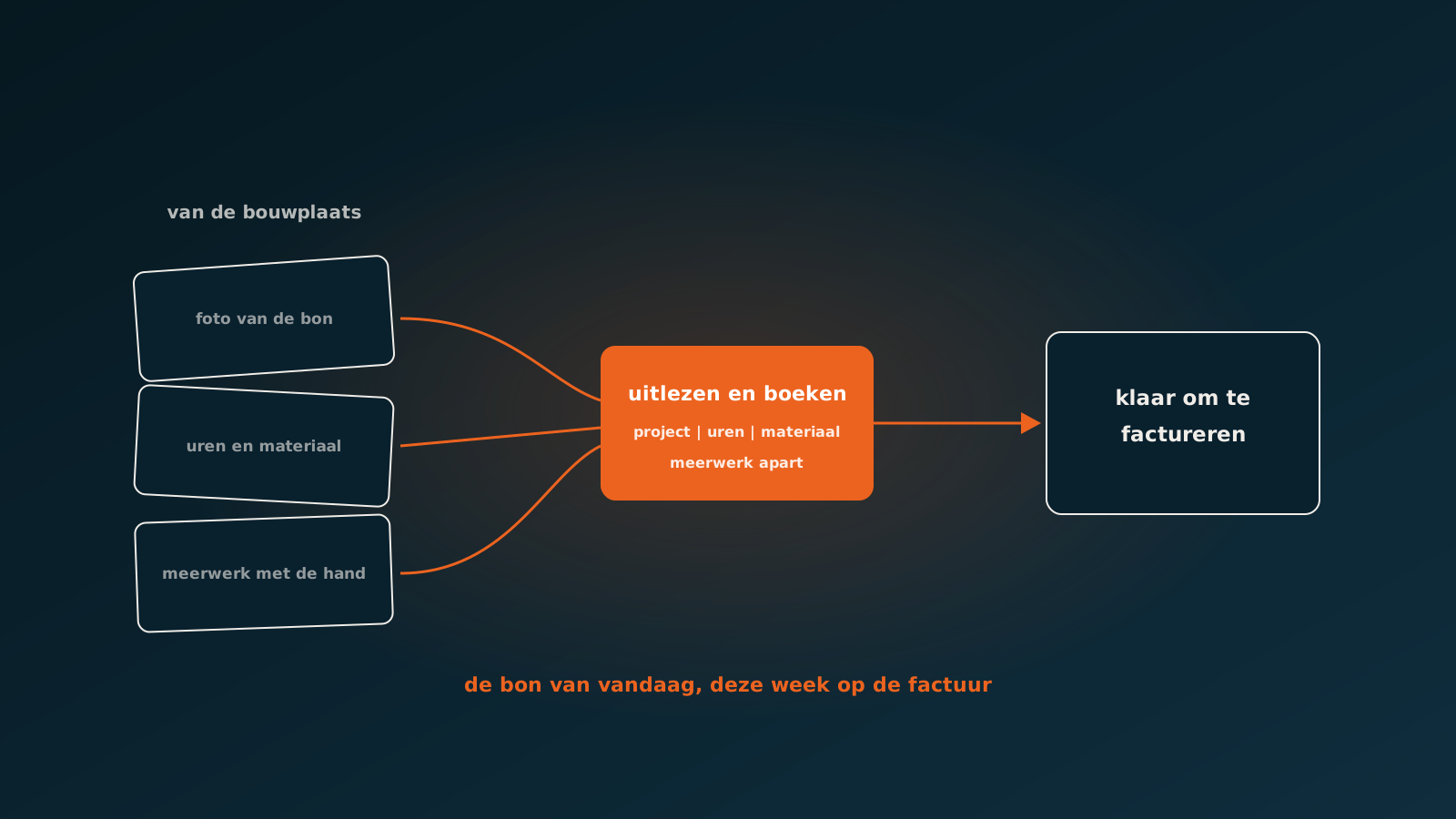
An AI coworker picks up the service ticket the moment it arrives, whatever the format. A photo, a PDF or an export from a field app all work. The AI coworker reads the ticket, recognises the fields and turns the loose data into structured lines: hours by type, materials with quantities, location, date and the name of the engineer.
Next, the AI coworker makes the link that normally costs the most time. Based on the address, customer name, project number or job description, it finds the right project in the administration. Materials are matched to articles, abbreviations are translated into the correct article numbers, and the hours are booked to the right rate type.
The difference with classic scanning software is that an AI coworker does not stop at recognising text. It reasons about the content, checks whether the lines make sense and books the result into the system on its own. Processing a service ticket goes from a manual chore to a step that is done within seconds.
Connecting to Bouwworks and the project administration
For construction and installation firms, everything revolves around the project administration. That is where the margin per project comes from, so that is where the service ticket has to land. The AI coworker works directly in your existing system and books the ticket to the right project line, whether that is Bouwworks, an ERP such as Exact or AFAS, or a combination of the two.
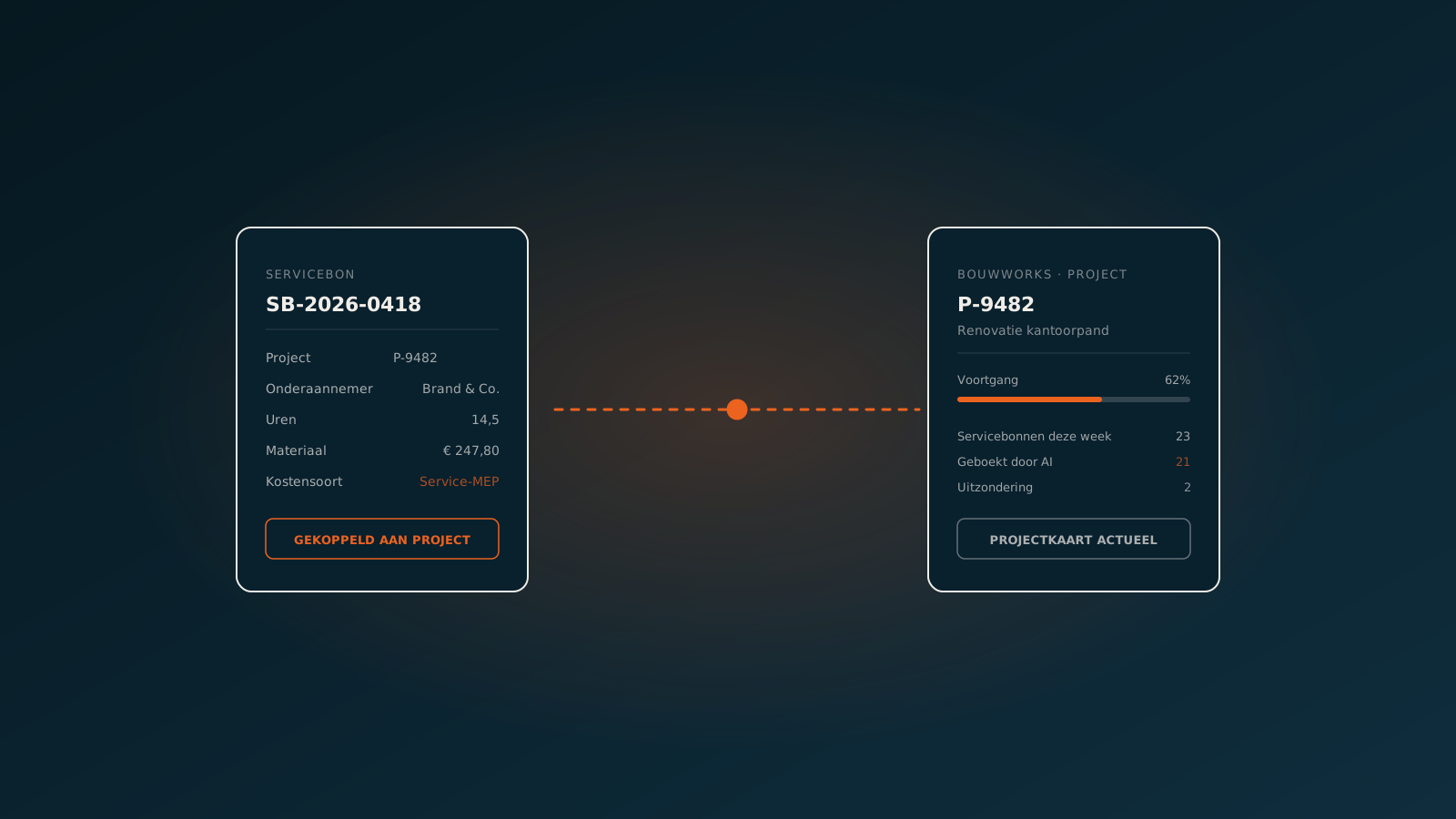
In Bouwworks that means, concretely, that hours and materials land on the right project and the right cost line, ready for post-calculation and invoicing. There is no separate intermediate screen and no export file that someone has to load in again later. The AI coworker works in the same screens and with the same rules as your own people, so the administration stays accurate.
- Hours booked to the right project and the right rate type
- Materials matched to articles, ready for purchasing and post-calculation
- Service ticket visible on the project line, with the original attached
- Invoicing can run straight through without waiting on manual entry
Exceptions and control
Not every ticket is clear in one go. A signature is missing, the project cannot be found, or the recorded hours do not fit the budget. In those cases the AI coworker does not simply book ahead. It sets the ticket aside and prepares it for an employee, with a clear explanation of why it is unsure and which lines are involved.
That is the principle of a human in the loop. The AI coworker does the routine work and only surfaces the cases that genuinely need a human decision. The employee no longer faces a stack of tickets, only the few exceptions that need attention. Control stays where it belongs, without anyone having to review every single ticket.
What is more, the share of exceptions is measurable and stays low in practice. You can see exactly how many tickets run through on their own and how many go past a person, and you can tune the rules accordingly.
In practice: a construction company at around 10 seconds per ticket
At a construction company that runs on Bouwworks, the AI coworker processes the engineers' service tickets. The average processing time sits at around 10 seconds per service ticket, from arrival to booked lines on the right project. What used to take a few minutes of manual work per ticket now happens almost instantly.
Of all tickets, 1.92% go to an employee as an exception. The rest run through on their own. Those exceptions are exactly the cases you want a human for: a missing project, an unreadable line, or hours that fall outside the budget. The back office still keeps an eye on things, but only where it counts.
The effect is that invoicing no longer waits on the administration and that the project figures are always up to date. The people who used to re-type tickets now have time for work where they add more value.
Getting started
Automating service tickets starts small. You do not have to overhaul an entire process to see whether it works. In a Quick Scan we look together at your current service-ticket flow, your formats and your connection to Bouwworks or your ERP, and we show how an AI coworker would handle it.
After that we agree on a first part of the process to start with, measure the processing time and the share of exceptions, and grow from there. Want to know what an AI coworker could do for your service tickets? Plan a Quick Scan, and from there we can plan your go-live with a clear target in mind.
Keep reading
More insights
Curious what an AI coworker can do for your process?
Book a no-strings Quick Scan and explore the options.
Book a Quick Scan