Automating order processing in practice
How do you automate order processing without your team losing control? An AI coworker handles orders end-to-end in your ERP. With real numbers from wholesale and construction.
What automating order processing actually means
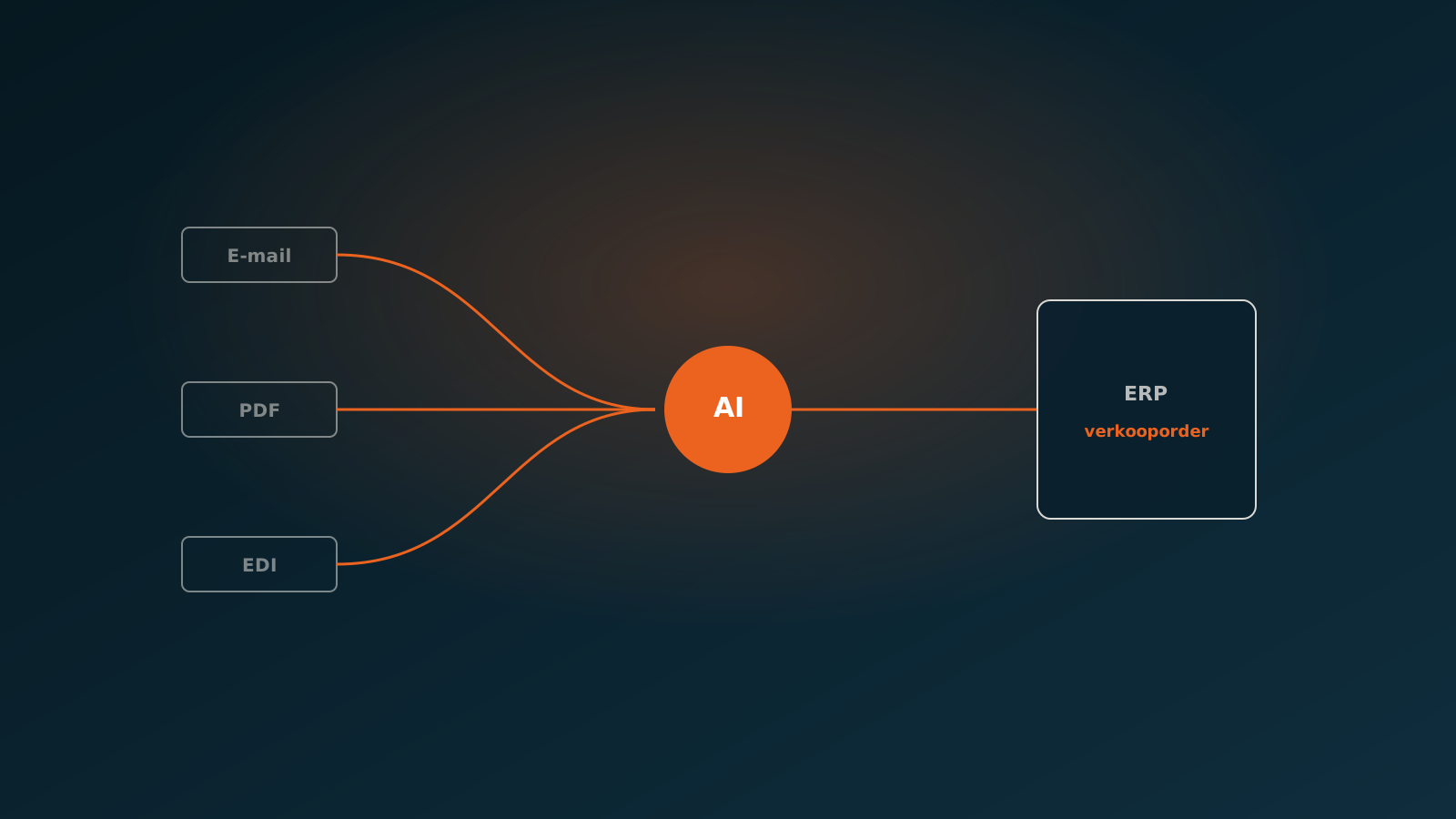
Automating order processing means an order is handled from the moment it arrives to the point it is booked in your ERP, without anyone retyping it. The order comes in by email, PDF, webshop or a customer portal. The data is read, checked against your master data and written into the system as a sales order. What stays with your people are the exceptions that genuinely call for judgment.
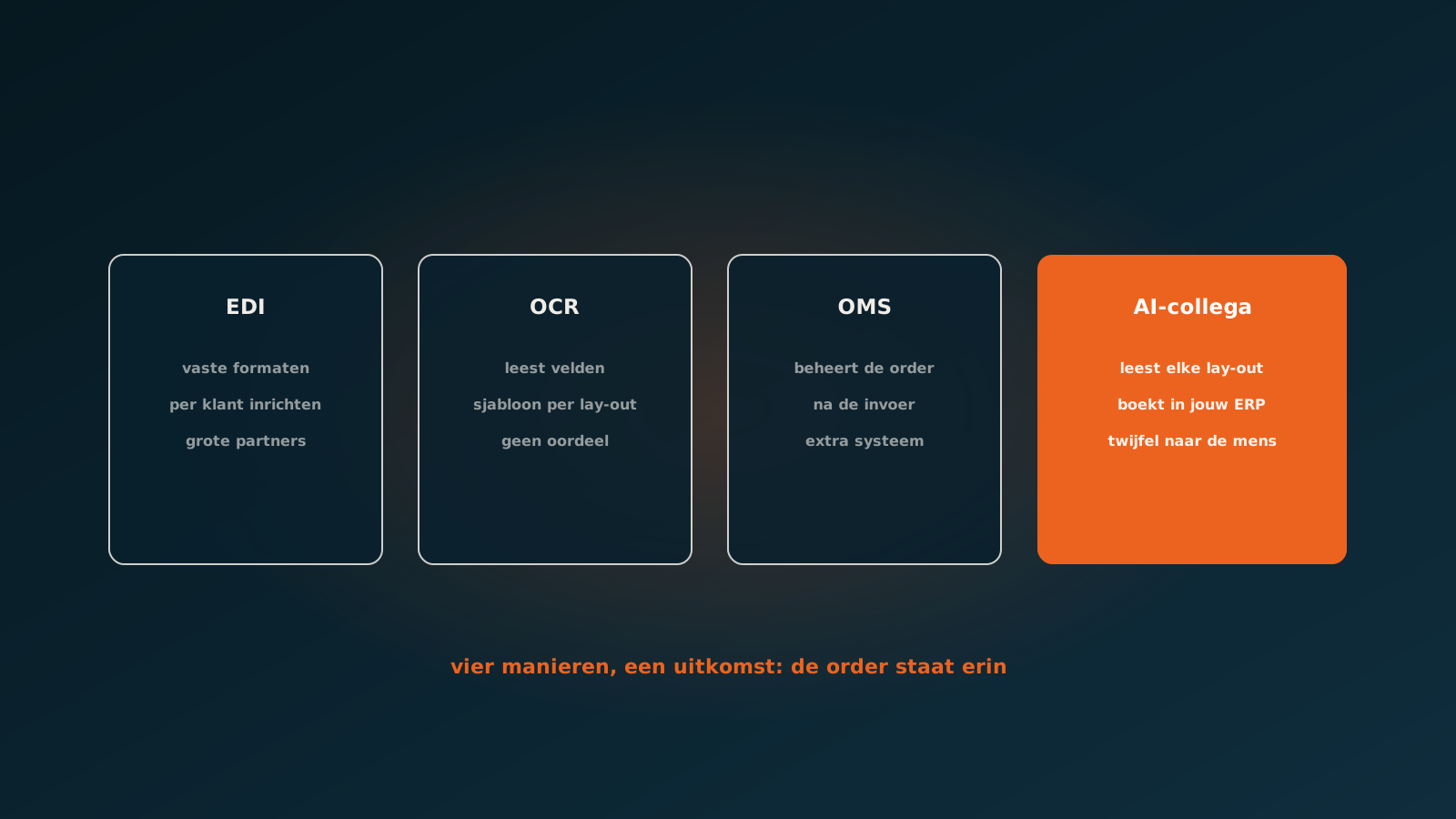
The difference with classic automation lies in the variation. Every customer emails differently, uses their own item numbers and sends orders in a different format. Fixed scripts and templates break on exactly that. An AI coworker reads the order the way an experienced order clerk does: it understands the content, even when the form keeps changing, and links it to the right customer, items and terms in your ERP.
In the order to cash chain, order entry is the first step that shapes everything after it. A mistake in entry carries through to delivery, invoicing and payment. Processing orders automatically at the front keeps the whole chain clean.
Where manual order processing breaks down
Manual order processing is rarely slow because people lack skill. It is slow because people keep doing the same repetitive work: opening a PDF, looking up item numbers, matching a customer, checking prices and retyping it all into the ERP. With dozens or hundreds of orders a day, that adds up to hours of work that add nothing.
The pain sits in a few fixed places:
- Retyping from email and PDF, with the risk of typos in quantities and item numbers.
- Matching customer item numbers to your own items, especially with customers who use their own codes.
- Peak moments when the order flow is larger than the team can handle, with throughput time creeping up as a result.
- Dependence on a few experienced staff who know the exceptions, leaving you exposed during holidays or sick leave.
- No visibility on status: where is an order in the process and why is it stuck?
The outcome is familiar. Orders sit until someone has time, mistakes surface only at delivery and throughput time swings with how busy it is. Automating sales order processing tackles exactly this: the repetitive part disappears and throughput time becomes stable, even on peak days.
How an AI coworker handles an order from arrival to booking
An AI coworker works like a new colleague on the order desk, only without breaks and with consistent quality. It picks up every incoming order and runs through the same steps your team takes by hand today.
- Arrival: the AI coworker reads the order from email, PDF, webshop or portal and extracts the relevant data.
- Recognition: it identifies the customer, the items and the quantities ordered, even with unusual formats and customer codes.
- Matching: it links customer item numbers to your own items and checks prices and terms against the master data.
- Checking: it tests for completeness, duplicate orders, credit limits and deviating prices.
- Booking: it creates the sales order in the ERP, ready for delivery and invoicing.
For a clean order this happens fully autonomously, within seconds. The order is in your ERP before a staff member would normally have got to it. Only when something is off does the AI coworker bring in a human. That is how you process orders automatically without handing over control.
The role of human-in-the-loop for exceptions
Not every order is clean. Sometimes an item number is missing, a price differs from the agreement or a quantity does not make sense. That is exactly where you want a human in the loop. The AI coworker handles the routine work on its own and only escalates the doubtful cases.
When an exception comes up, the AI coworker does not guess. It prepares the order with a clear explanation: what is wrong and which information is missing. A staff member decides in seconds and the order moves on. You keep the speed of automation and the certainty of human judgment where it matters. On top of that, the AI coworker learns from those decisions, so the share of exceptions drops over time.
Which ERP systems connect: AFAS, Exact, Dynamics 365, Odoo
An AI coworker is only valuable once it actually writes the order into your ERP, not into a separate intermediate system. The connection runs through the standard interfaces and the screens your people use today, so the order lands in the right place and the right format in the system.
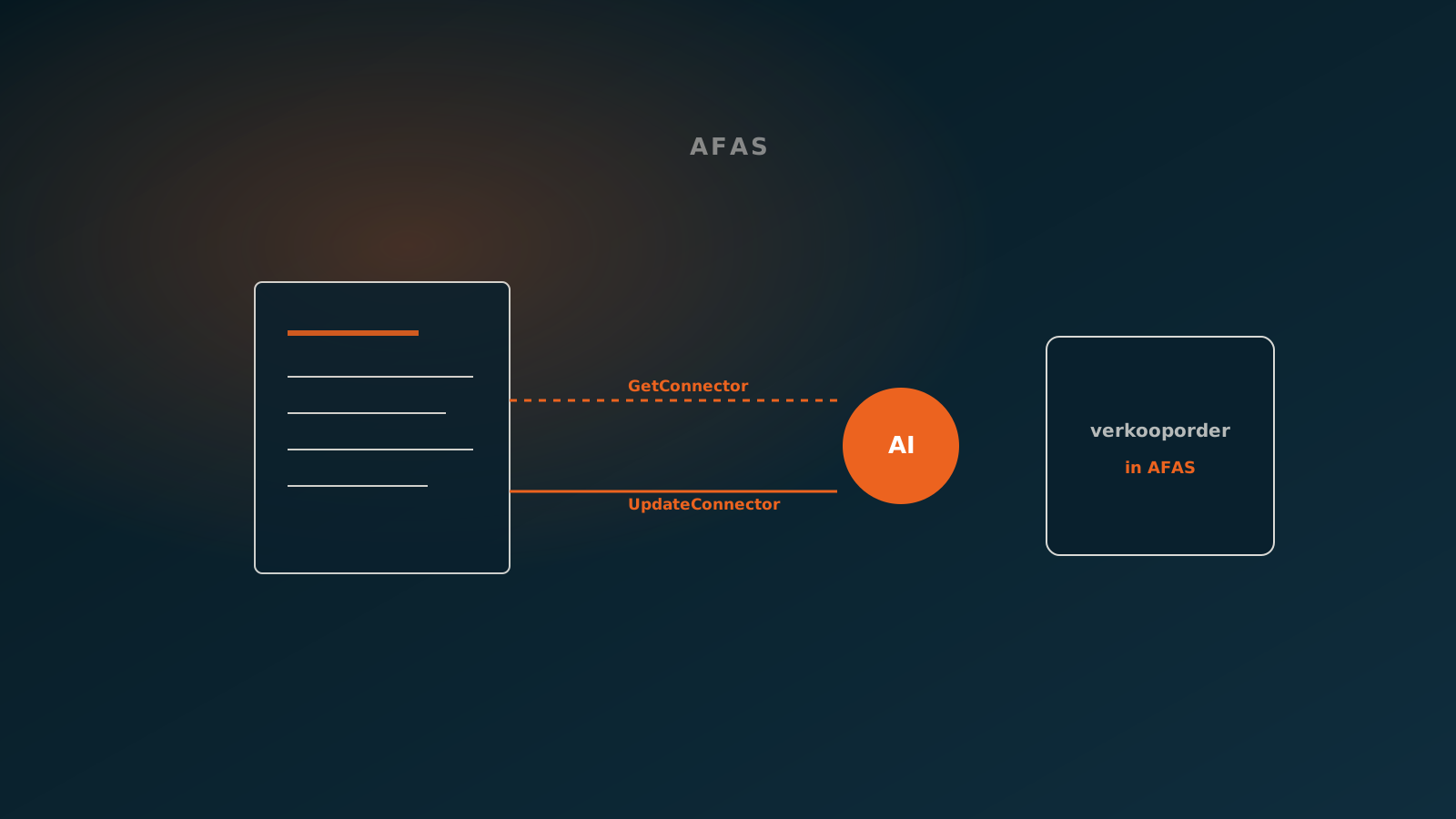
- AFAS: creating sales orders including the correct sales relation, items and sales terms.
- Exact: order entry in Exact Online and Exact Globe, linked to the existing master data and price agreements.
- Dynamics 365: booking sales orders in line with the configured processes and approvals.
- Odoo: processing orders with the right customer, products and price lists.
The starting point is always the same: the AI coworker adapts to your setup, not the other way around. You do not need to replace or rebuild your ERP to automate order processing.
Results: throughput time, error rate, scalability
The gain shows up most clearly in throughput time per order. A technical wholesaler now processes orders in roughly 27 seconds per order on average, where it used to take around ten minutes. A construction company reaches about 10 seconds of processing time, with 1.92% of orders going to a human as an exception. The rest runs through fully on its own.
Behind those figures sit three effects that are structural:
- Throughput time: orders are in the ERP within seconds, not only once someone has time.
- Error rate: less retyping means fewer typos and fewer corrections later in the chain.
- Scalability: a spike in the order flow does not change processing time, because capacity simply scales with it.
The numbers vary by company and by order type. The pattern is consistent, though: the repetitive work disappears, throughput time becomes predictable and your team has time left for the orders that do deserve attention.
Where to start
Do not start with a large project, but with a contained order flow: one fixed order type, a handful of customers or a single channel. There you quickly see whether the approach works and what the real exceptions are. From that starting point you expand step by step to more customers and order types.
Want to know what automating order processing would deliver in your situation? Plan a Quick Scan. We look at your order flow, your ERP and the places where things get stuck today, and decide where an AI coworker adds value fastest. After that, you plan your go-live.

Curious what an AI coworker can do for your process?
Book a no-strings Quick Scan and explore the options.
Book a Quick Scan