Comparing order processing software: EDI, OCR, OMS or AI
EDI, OCR, an order management system or an AI coworker: each solves something different. A sober comparison of what every approach does and does not do, and when to choose which.
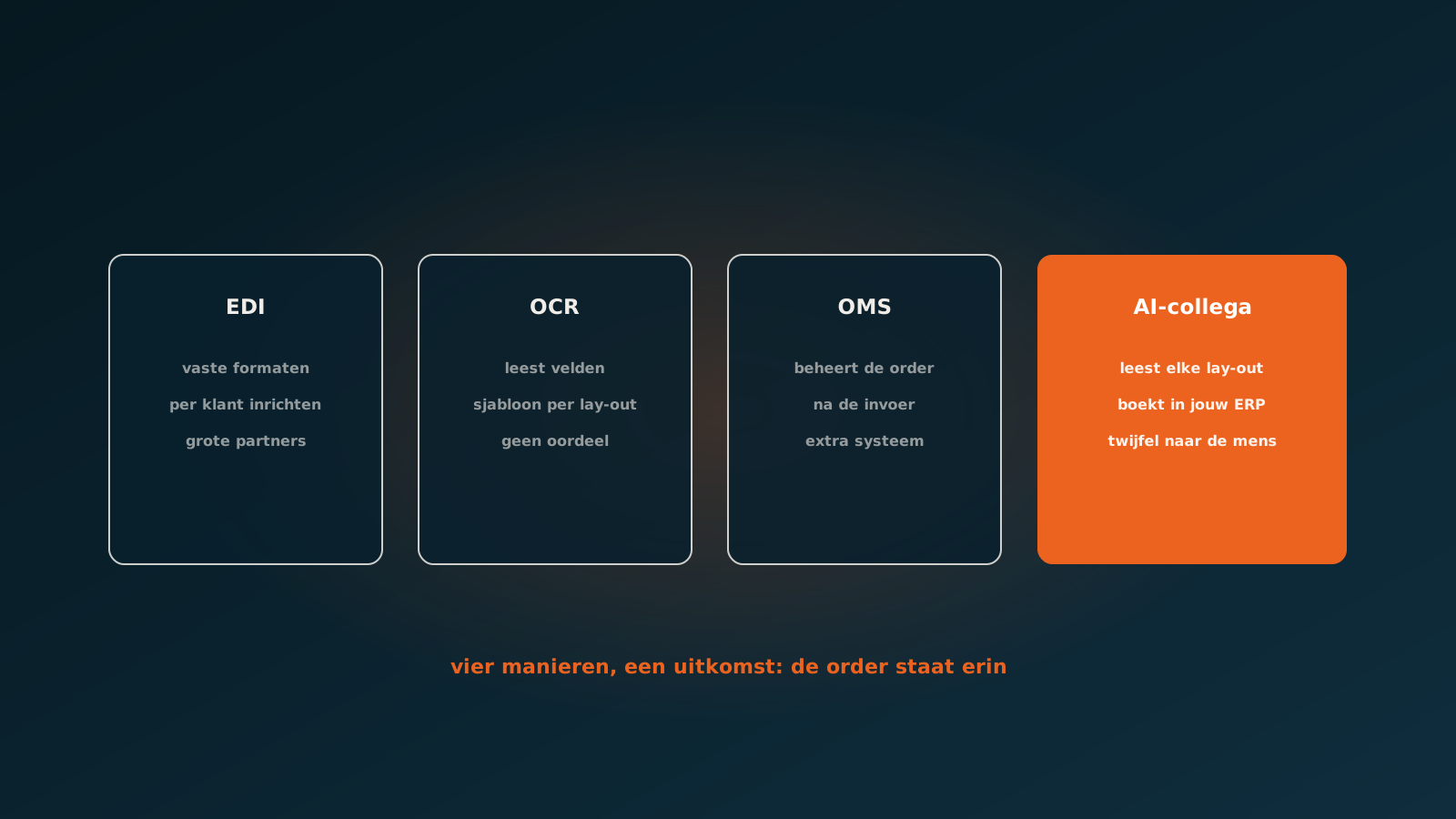
Four solutions to four different problems
Anyone searching for order processing software gets four kinds of answer that often end up lumped together. EDI, OCR, an order management system and, these days, AI. They sound like competitors, but they do not solve the same problem.
Before comparing, it helps to know where your time actually goes. At most wholesalers and manufacturers it does not go into managing orders, but into getting orders in: retyping emails, PDFs, spreadsheets and occasionally still faxes into the ERP.
EDI: perfect, as long as everyone joins in
EDI is the oldest and in a sense the best solution. You and your customer agree a fixed message format, and the order arrives structured without anyone ever having to look at it. Error-free, fast and cheap per order.
The problem is not the technology but the coverage. Every EDI connection has to be set up, tested and maintained separately. That pays off for customers sending hundreds of orders a month, and it does not pay off for the customer sending four.
So in practice you nearly always see the same picture: the ten largest customers are on EDI and cover perhaps forty percent of volume, and the other sixty percent simply arrives by email. EDI solves your biggest customers, not your biggest pile.
OCR: reads text, does not understand an order
OCR software pulls text out of a document and puts it into fields. Classic OCR does that from templates: you teach the system where on this specific layout the order number sits, where the lines start and where the total is.
That works well as long as documents look the same. For purchase invoices from regular suppliers they often do. For incoming customer orders they almost never do, because every customer sends their own format and changes it without warning you.
- Template per layout: a new customer or changed layout means new configuration work.
- No judgement: OCR reads 'art. 4412-B' but does not know whether that is your item number 4412B.
- No context: nothing checks whether the price matches the agreement or the customer has credit room.
- The output is a filled-in screen, not a posted order.
OCR therefore removes part of the typing but leaves the thinking and the checking. That is exactly where the time goes for an experienced order processor.
Order management system: manages the order, does not create it
An OMS is built for what happens after entry: reserving stock, planning partial deliveries, tracking backorders, bringing channels together. For companies selling through several channels that is valuable software.
But an OMS assumes the order is already in there. How it got in is not its problem. Companies that buy an OMS because order entry is jammed usually discover that, disappointed, half a year later.
There is one more consideration: an OMS is an extra system. Alongside your ERP there is now another place holding data where people have to work. For some companies that is the right call, for many mid-sized companies it is added weight that eats the gain.
AI coworker: reads, judges and posts
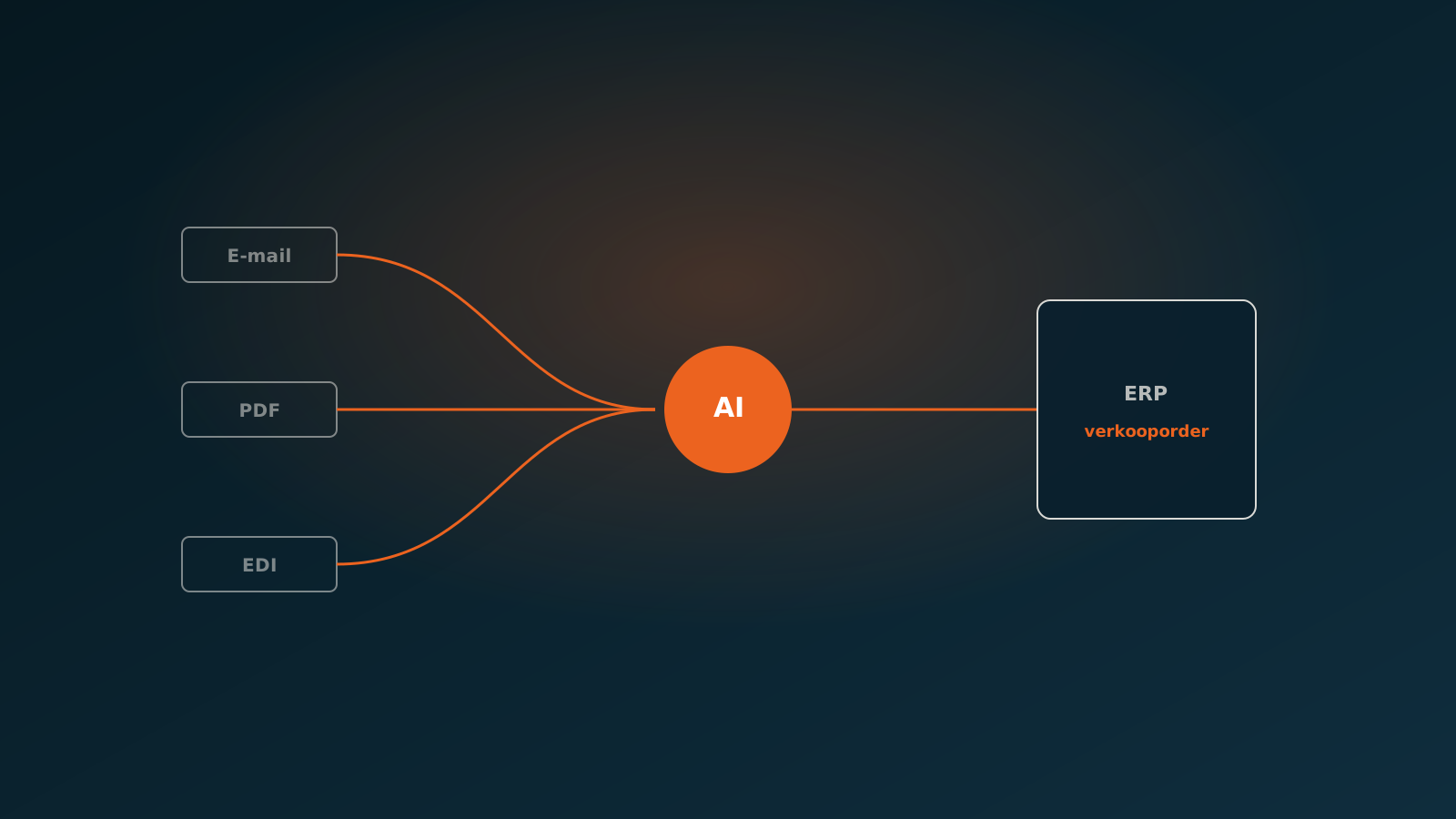
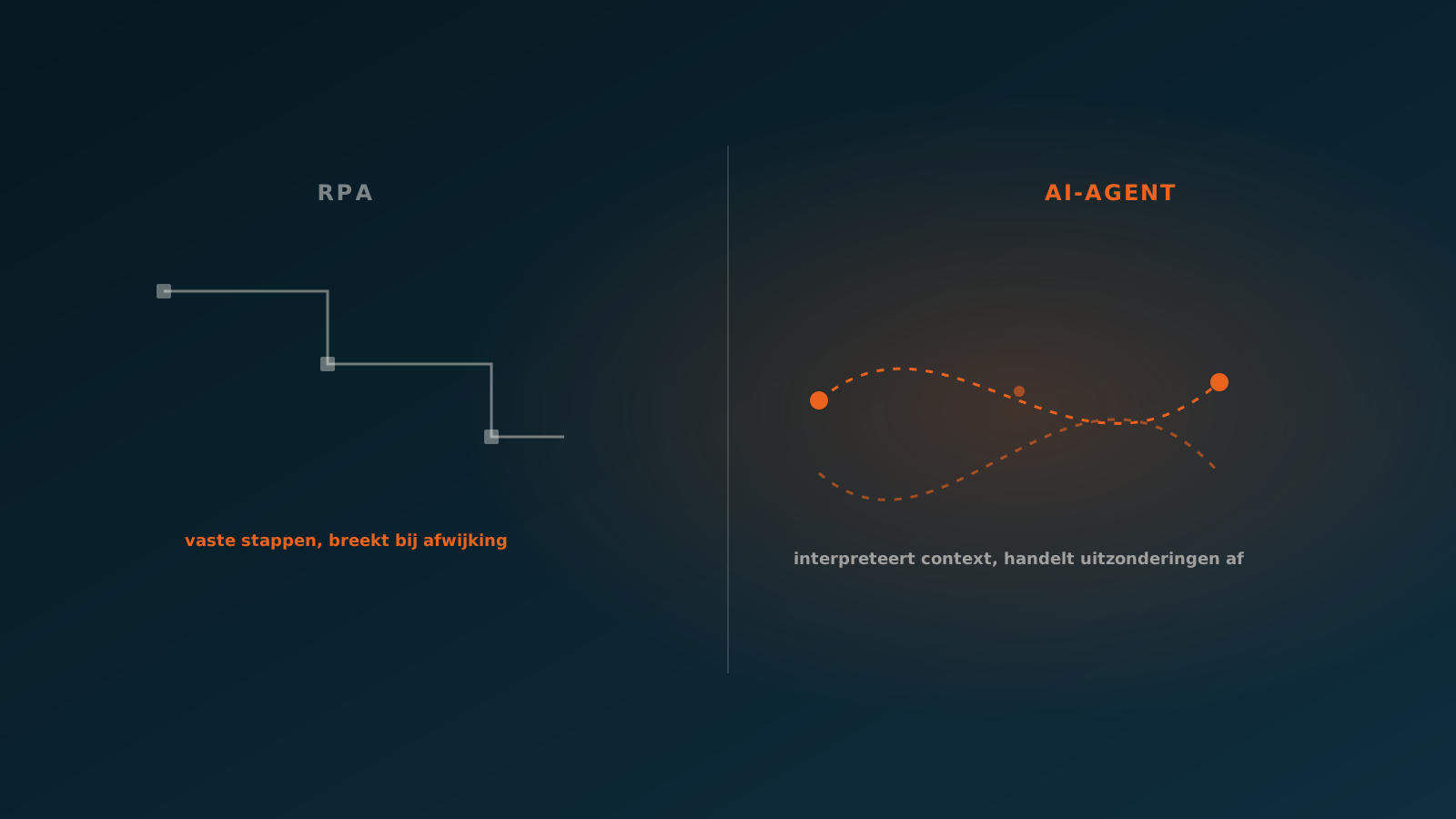
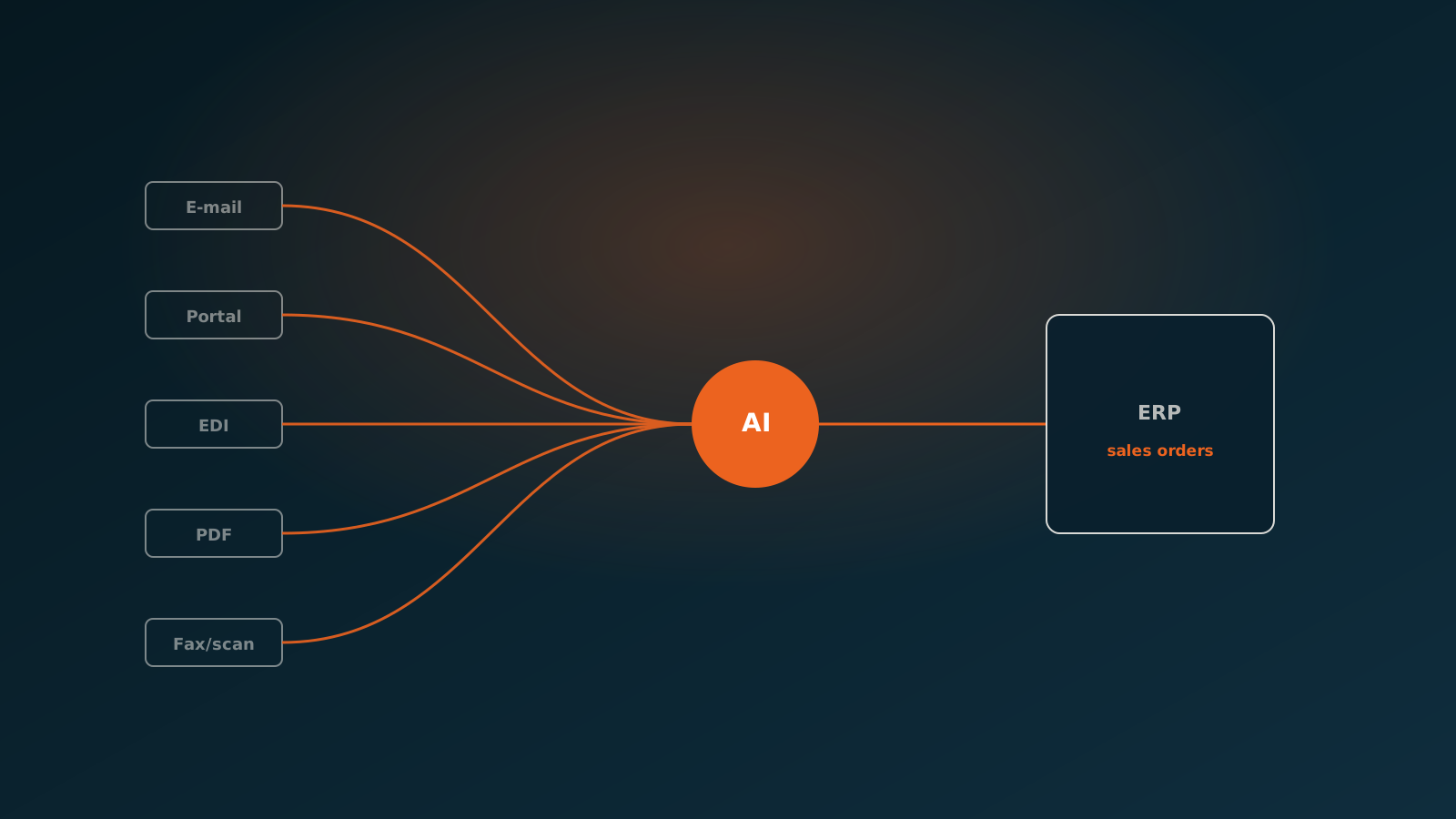
An AI coworker picks up exactly the piece the other three leave behind: from incoming document to posted order in the system you already have. Without templates, without an extra shell, and with a judgement about what does not add up.
The agent reads the email and the attachment, recognises the customer, matches items to your item numbers even when the customer uses their own descriptions, checks prices against the agreements in your ERP and posts the order. If it is unsure it does not post, but puts the case forward with the reason attached.
- Any format: email, PDF, spreadsheet, scan or an order simply written in the body of a message.
- A new customer or new layout needs no configuration in advance.
- Checks on price, agreement and item before anything is posted.
- Works in your existing ERP: SAP, AFAS, Exact, Dynamics 365, Odoo or Bouwworks.
What you choose in practice
At most companies the answer is not one of the four but a combination, in this order. Keep EDI for the customers where it already runs, because structured always beats interpreted. Put an AI coworker on everything arriving by email, because that is where your pile sits.
Only consider an OMS once managing orders after entry is genuinely your bottleneck, for example with many channels and complex partial deliveries. And keep OCR where it works well, on document flows with a fixed layout.
The question that decides it is simple: where in the chain are orders waiting on a person? Solve that point, not the point with the nicest software available.
Getting started
Start by counting. How many orders come in per week, through which channels, and how many minutes does an order take on average from arrival to posted? That number usually makes the choice obvious in one go.
In a Quick Scan we do that together on your real order flow and show which share can run automatically. Typically you are live in your own ERP within eight weeks. Plan your go-live whenever it suits you.
Curious what an AI coworker can do for your process?
Book a no-strings Quick Scan and explore the options.
Book a Quick Scan