Automating order processing in wholesale
Wholesalers process thousands of orders a month across email, PDF and EDI. An AI coworker takes over that order flow and books straight into your ERP, with a human in the loop for exceptions.
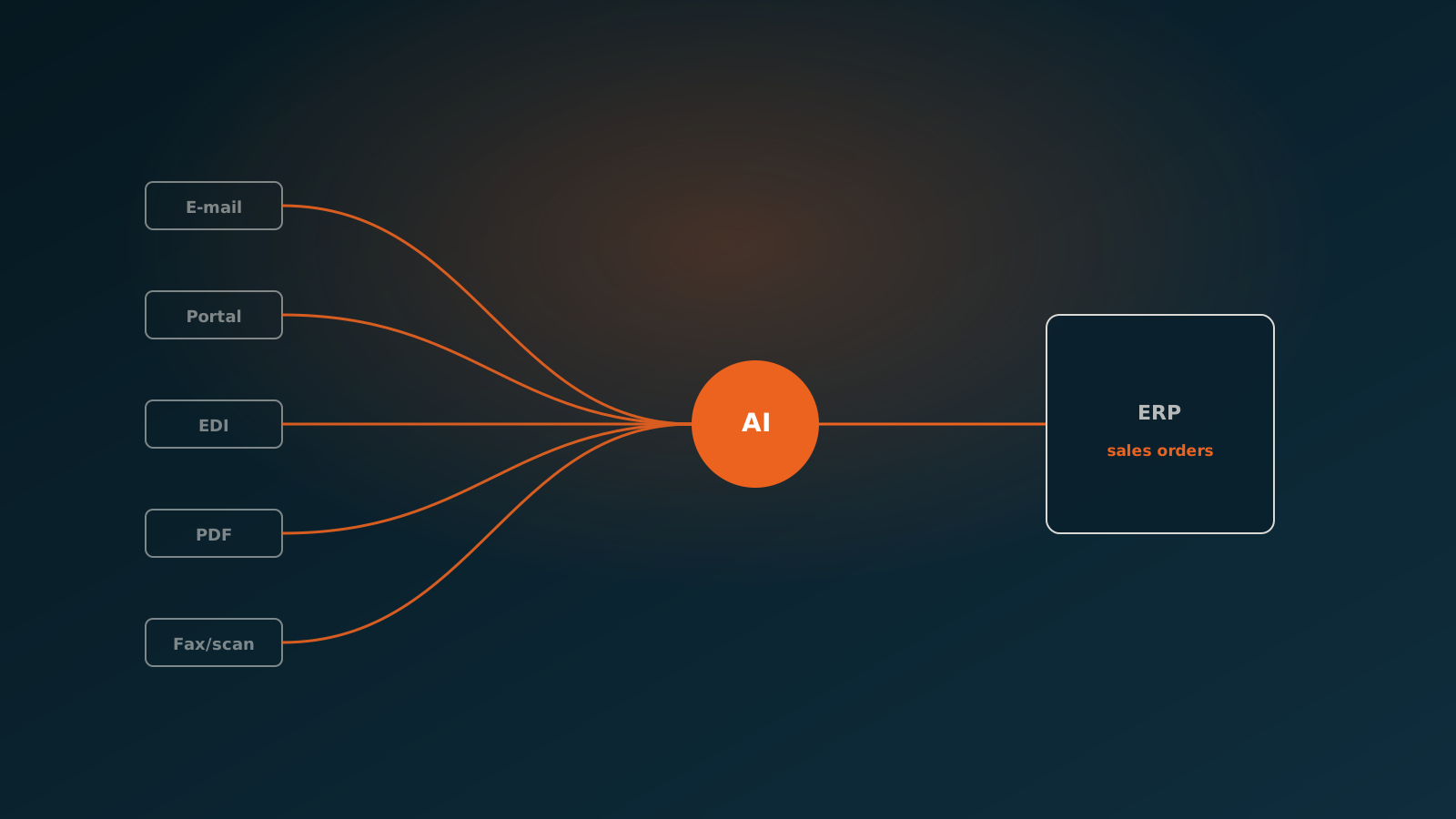
The order flow in wholesale
A wholesaler runs on volume. Thousands of orders a month, sometimes a week, arrive from hundreds of customers. Every order has to be entered into the ERP, linked to the right items, the right price and the right delivery terms. At most wholesalers, that still happens largely by hand.
The problem is not that entering an order is hard. The problem is that there are so many of them, that they arrive in every shape and size, and that a mistake in order entry becomes expensive further down the chain: a wrong delivery, a credit note, an unhappy customer. That makes the order desk one of the busiest and most error-prone places in the business.
So anyone who wants to automate order processing in wholesale should not start with a slick portal or a single new EDI connection. The real work sits in the messy reality: orders arriving in dozens of formats and through several channels at once.
Many channels, many formats
A typical wholesaler receives orders through a wide range of channels. Customers send whatever suits them best, and the order desk has to process all of it. In practice that means:
- Email with the order in the body or as an attachment
- PDF files, often a scanned or exported purchase order
- Excel and CSV lists with item numbers and quantities
- EDI messages from larger buyers and retail chains
- Orders placed through a web portal or customer portal
- One-off orders by phone or WhatsApp that the order desk retypes
Each channel has its own logic. An EDI message is structured but strict. A PDF from one customer looks completely different from the next. In an email, the order number sometimes sits in the subject line, sometimes halfway down the text. The customer uses its own item numbers, not yours. And that variation is exactly what makes full automation with classic rules so hard: you cannot build and maintain a separate integration for every customer and every format.
How an AI coworker handles orders from every channel
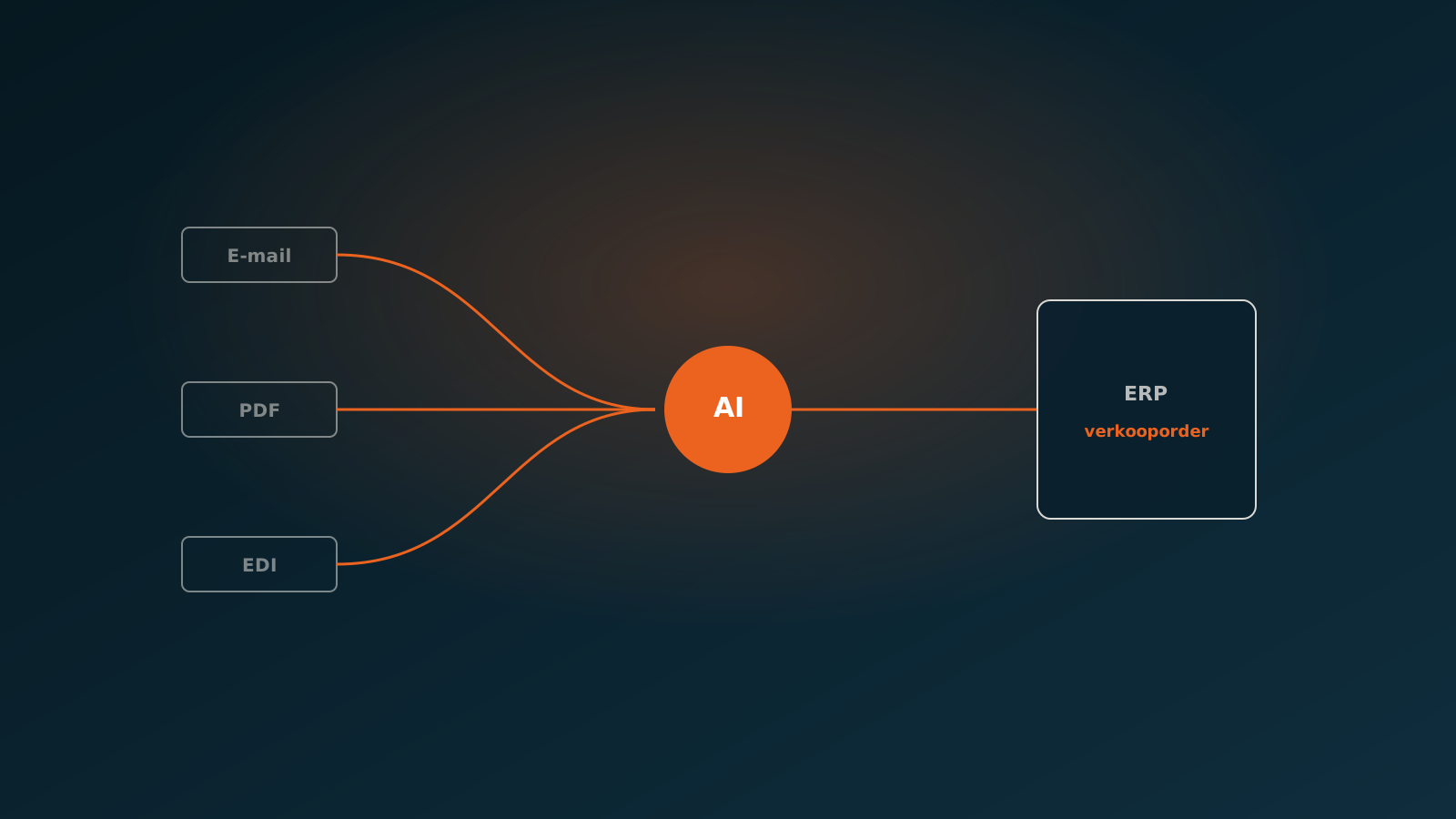
An AI coworker takes a different approach. Instead of a fixed template per customer, the agent reads the content of an order the way an experienced order clerk would: which items, which quantities, which customer, which requested delivery date. Whether the order sits in a PDF, an email body or an EDI message, the agent pulls out the same data.
It then translates the customer data into your master data. The customer item number is matched to your item in the ERP. The customer is recognised and linked to the right account number. If the agent is unsure about a match, it does not just push the order through, it hands that order to a person. That is the human-in-the-loop principle: routine runs automatically, doubtful cases land on a work list.
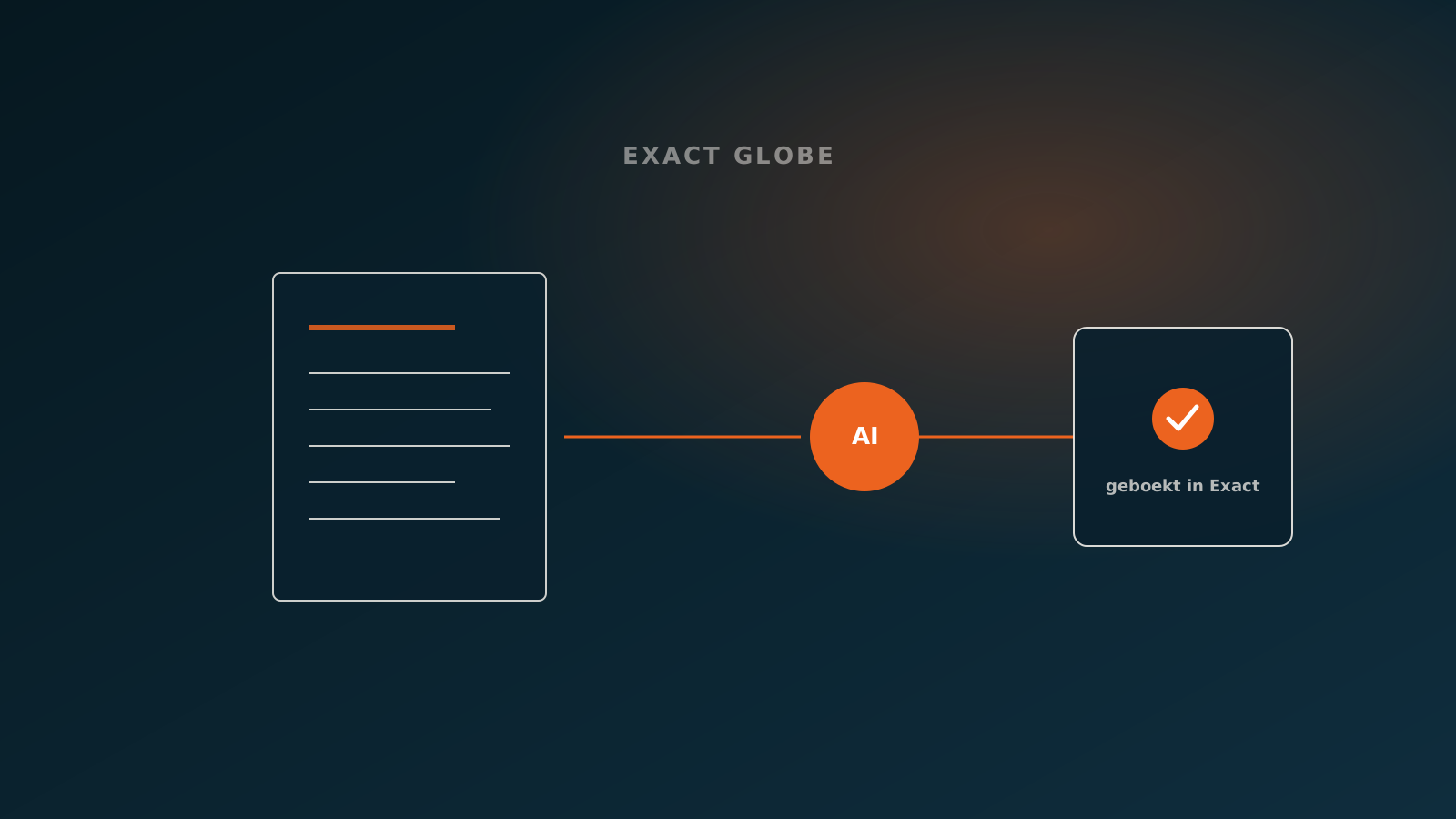
After that, the AI coworker books the order straight into the ERP. Not as a draft that someone still has to retype, but as a created sales order in SAP, AFAS, Exact, Dynamics 365 or Odoo, ready to be processed further. The order desk keeps the overview and steps in where needed, but no longer types out every line itself.
Pricing agreements and customer-specific terms
In wholesale, the price is rarely a flat list amount. Every customer has its own price breaks, discount agreements, contract prices and payment terms. Good order processing accounts for all of that, and this is where manual work often goes wrong: someone picks the standard price instead of the agreed contract price, or forgets a volume discount.
An AI coworker leaves the pricing logic to the system built for it: your ERP. The agent books the order with the right item and the right customer, and the ERP applies the relevant pricing agreements and terms. That keeps a single source of truth for your prices, and every order is priced in the same auditable way.
The result is consistency. No more ad-hoc decisions at the order desk about which price applies, no forgotten discounts and no credit notes after the fact because the wrong term was used.
Absorbing peaks without extra staff
The order flow is rarely even. Monday mornings, month-end, seasonal peaks and promotions create waves that staffing cannot always keep up with. In busy periods the orders pile up while the team stays the same size. The result is waiting time, overtime and a higher chance of mistakes.
An AI coworker scales with the volume. Whether ten or a thousand orders come in, they are processed at the same pace. Lead time stays short, even at the busiest moments, and you do not need temporary staff that you first have to train. The team can focus on the exceptions and on the customer contact that really matters.
That changes the role of the order desk as well. Less retyping, more oversight. Staff review the cases the agent hands them and keep the exceptions under control, instead of keying in order after order.
Results
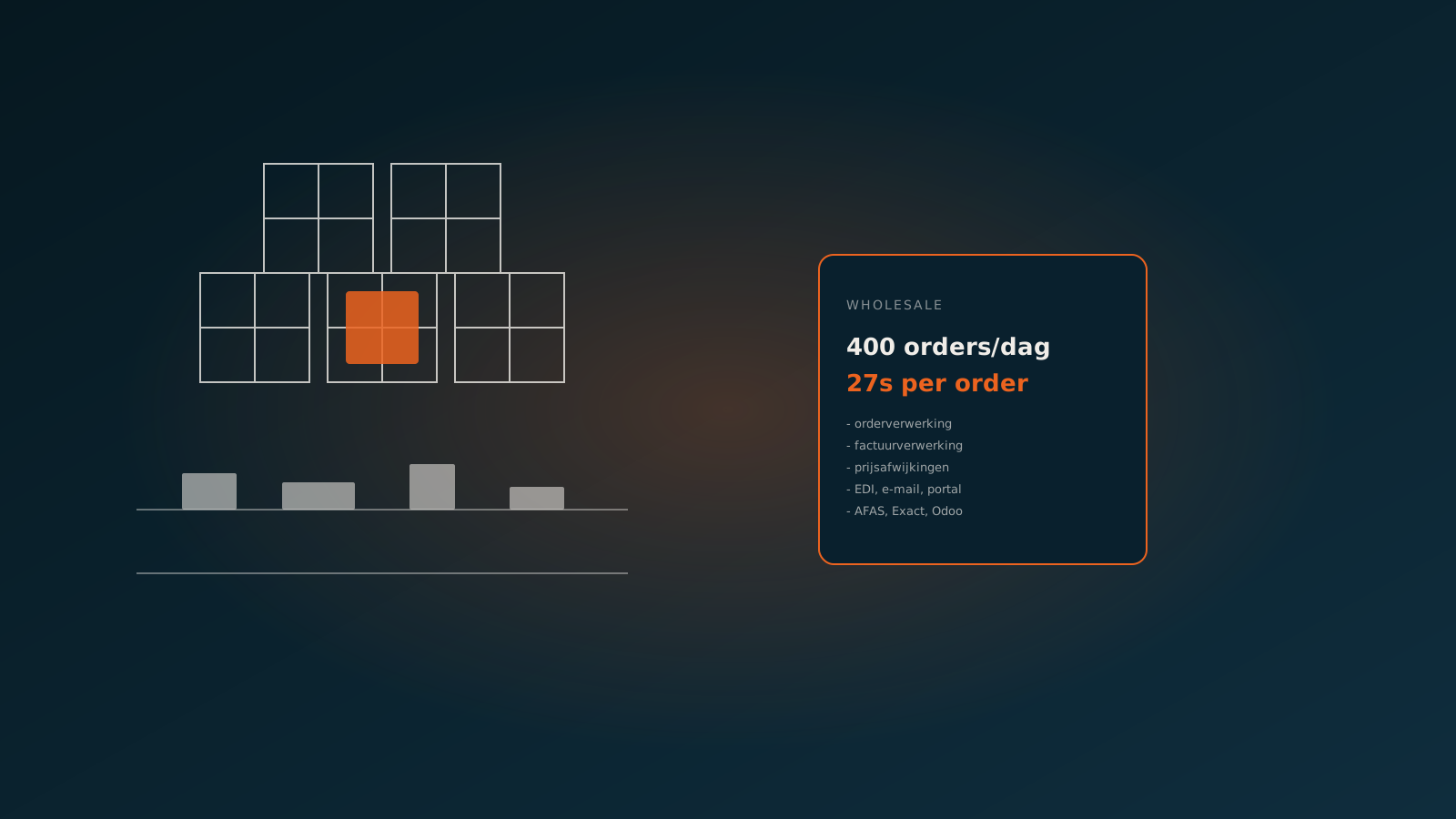
At a technical wholesaler, an AI coworker processes incoming orders in roughly 27 seconds per order, from arrival to booked sales order. What used to be a pile of work running all day has become a flow that largely takes care of itself. The order desk still reviews the doubtful cases, but the routine is off its plate.
At a horticulture company, order processing runs entirely in Odoo. Orders from different channels are read, matched to the right items and customers, and booked directly as a sales order in Odoo. The team works in the system it already knew, just without the manual data entry.
The gain is not only in time. Because every order is read and booked the same way, errors drop, pricing agreements stay correct and lead time becomes predictable. Customers further down the chain notice that straight away.
Getting started
Automating order processing in wholesale starts with a look at your own order flow: which channels, which formats, which customer-specific agreements. That quickly shows where most of the time and most of the mistakes sit, and where an AI coworker makes the fastest difference.
In a Quick Scan we look at your order flow and your ERP together, and show how an AI coworker would process those orders. Ready for the next step? Plan your go-live and put the order desk on autopilot for the routine, with your own team at the wheel for the exceptions.
Curious what an AI coworker can do for your process?
Book a no-strings Quick Scan and explore the options.
Book a Quick Scan