The aged debtors report: what belongs in it and how to keep it current
An aged debtors report shows who still owes you money and since when. It is only as good as the processing behind it. What belongs in it, how to read it and how an AI coworker keeps it accurate every day.
What an aged debtors report is
An aged debtors report, also called an accounts receivable ageing report, lists every customer who still owes you money, with their open invoices underneath. Every accounting and ERP package has one, sometimes under another name: open customer items, AR ageing or customer balance list. It is the foundation of your credit management and one of the first reports a bank or auditor asks for.
What belongs in it
- Customer name and account number.
- Per invoice: invoice number, invoice date, due date and amount outstanding.
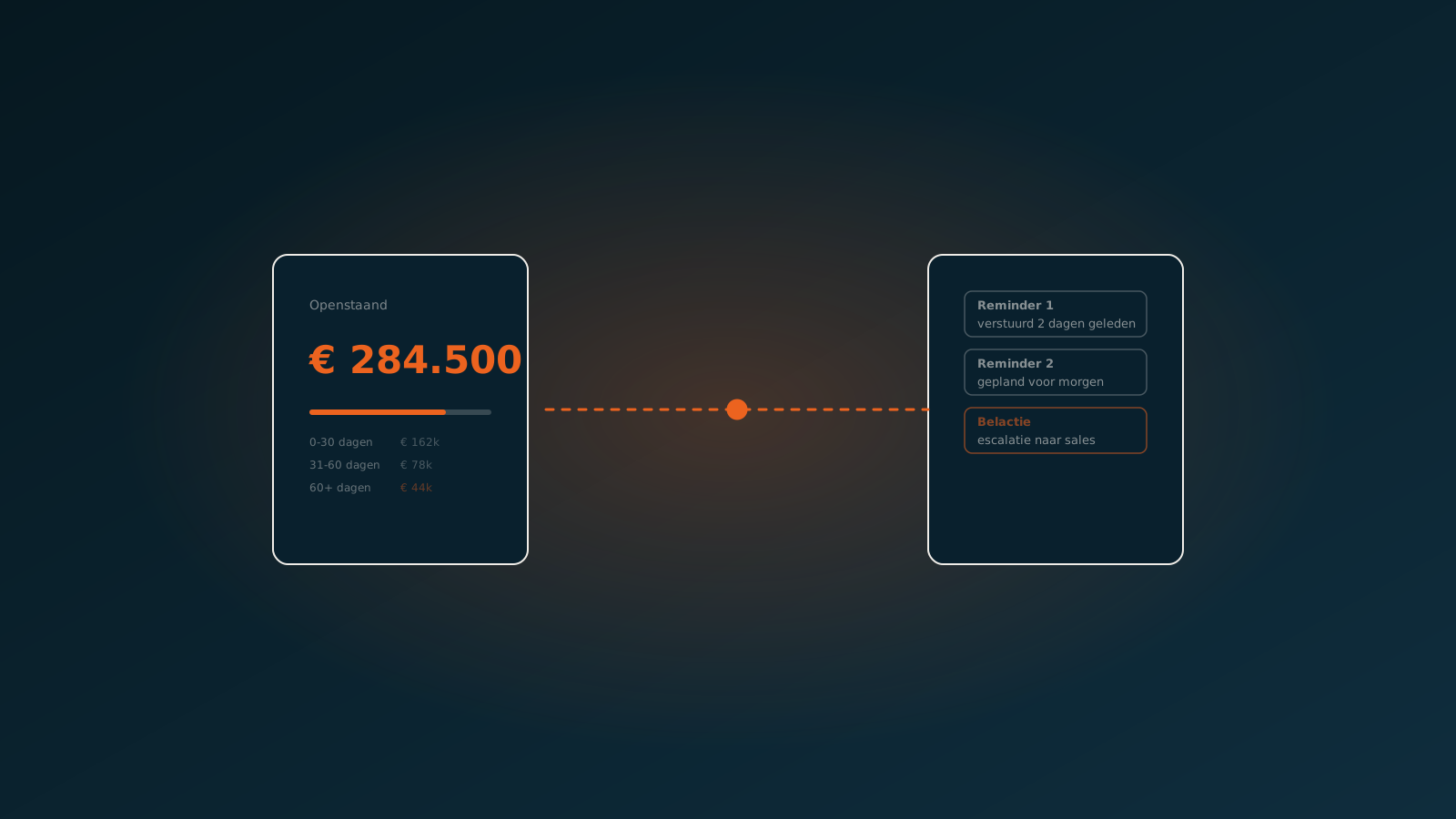
- Age: how many days past due the invoice is, usually in buckets of 0 to 30, 31 to 60, 61 to 90 and more than 90 days.
- Total per customer and total across all customers.
- Ideally: the last action taken, such as a reminder, a payment arrangement or a dispute.
That last column is often missing from the standard report, but it is the difference between a list and a work queue.
How to read it
Start with the spread across the ageing buckets. If most of the balance sits in the first bucket, your receivables are healthy and it is mostly a matter of timing. If the 60-plus bucket keeps growing, you have a problem that reminders alone will not fix.
Then look at concentration. One large customer falling behind is a different conversation from fifty small ones. And look at trends: a customer who always paid on time and is now two terms behind deserves a phone call, not a standard reminder.
Why the report is often wrong
The aged debtors report is only as good as the processing behind it. In practice, three things go wrong.
- Payments have not been reconciled yet, because the description on the bank statement does not match the invoice number.
- Partial and combined payments have been split by hand, or not at all.
- Credit notes and offsets sit apart from the invoices they belong to.
The result: customers get a reminder for an invoice they already paid, and your figures show more risk than there really is. If you want to trust the report, start with the matching.
Automatic matching with open items
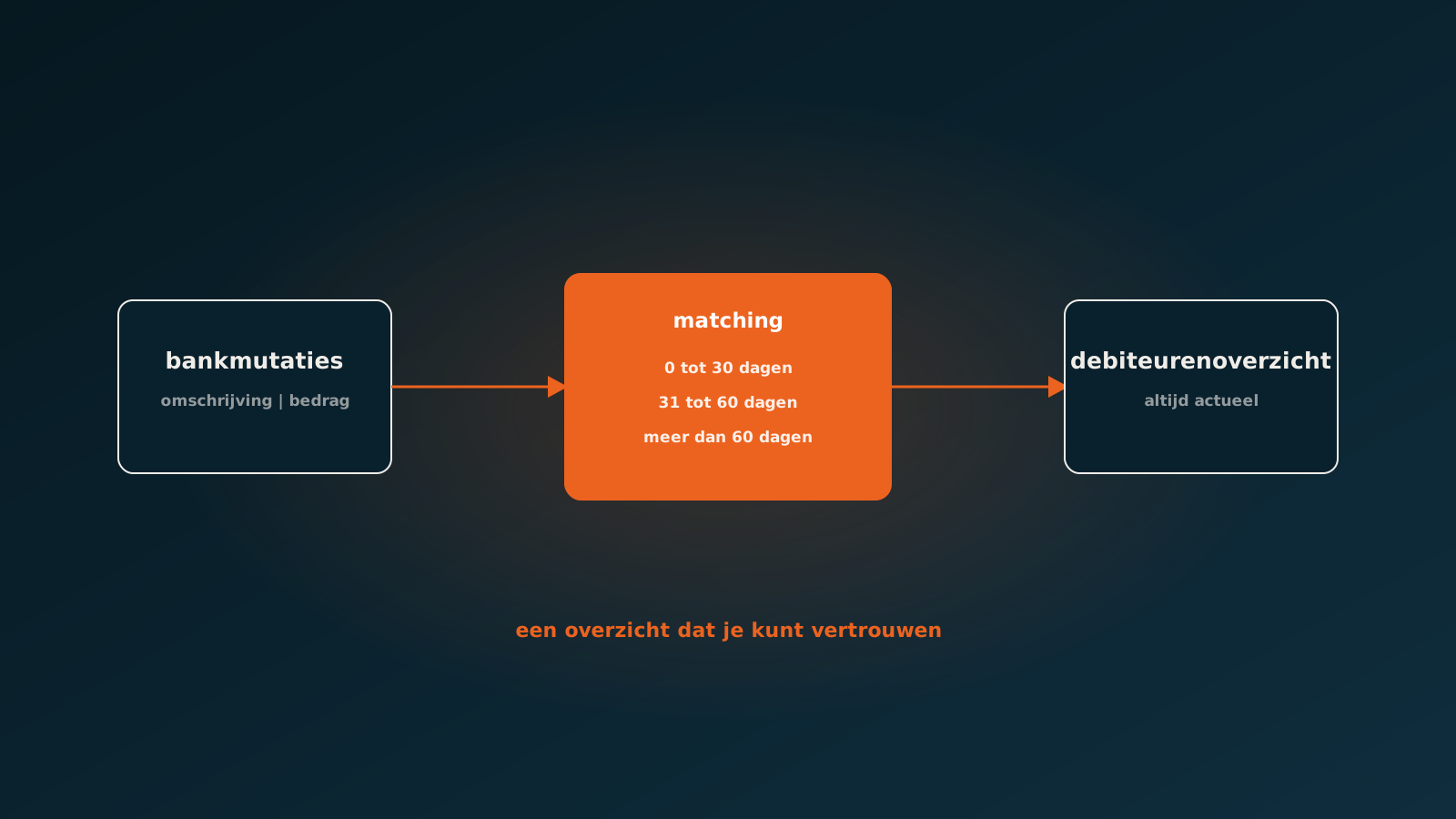
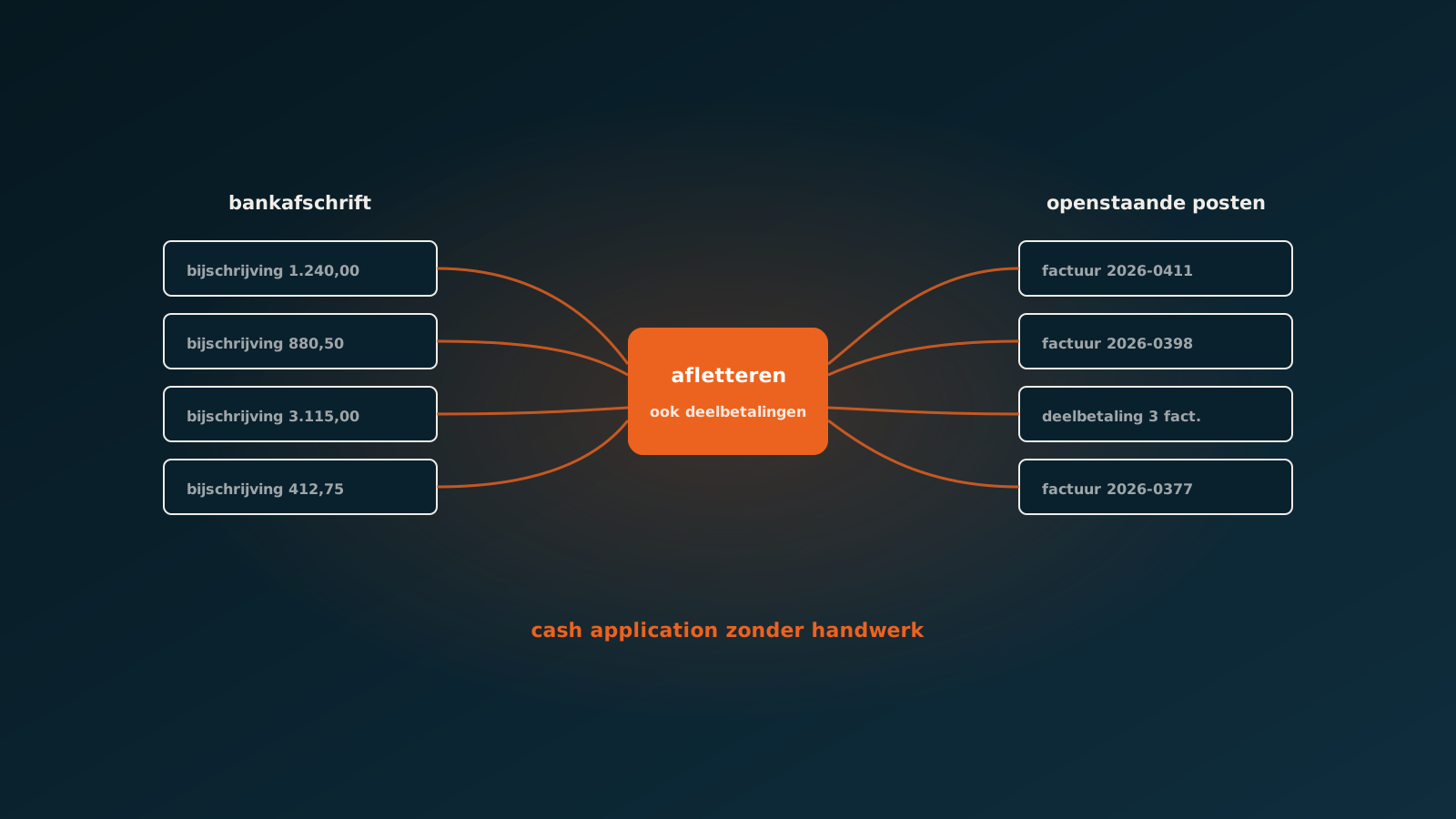
An AI coworker reads the bank transactions every day and matches them to open items, even when the description is incomplete. It recognises invoice numbers with typos, splits combined payments across several invoices and links a partial payment to the right item. Whatever it cannot match with confidence, it escalates with a suggestion attached.
Read next: matching bank statements and open items automaticallyFrom report to action
An up-to-date report is the starting point, not the end. With accurate figures an AI coworker can handle the follow-up too: reminders in the right tone for each customer, recording payment arrangements and flagging when a customer starts paying later as a habit. Your credit controller stays in charge and spends time on the conversations that matter.
Read next: accounts receivable with an AI coworkerGetting started
Run your aged debtors report today and count how many open items have in fact already been paid. That number says a lot about how much time goes into manual reconciliation. In a Quick Scan we make that visible together, in your own package: SAP, AFAS, Exact, Dynamics 365, Odoo or Bouwworks.
Typically an AI coworker is live within eight weeks. Plan your go-live whenever it suits you.
Curious what an AI coworker can do for your process?
Book a no-strings Quick Scan and explore the options.
Book a Quick Scan