Time registration in construction: processing weekly timesheets and job sheet hours automatically
On Friday afternoon the weekly timesheets come in, on paper, as photos or from an app. On Monday someone retypes them. Here is how an AI coworker posts hours straight to employee, project and cost code, so you see deviations the same week.
Short answer
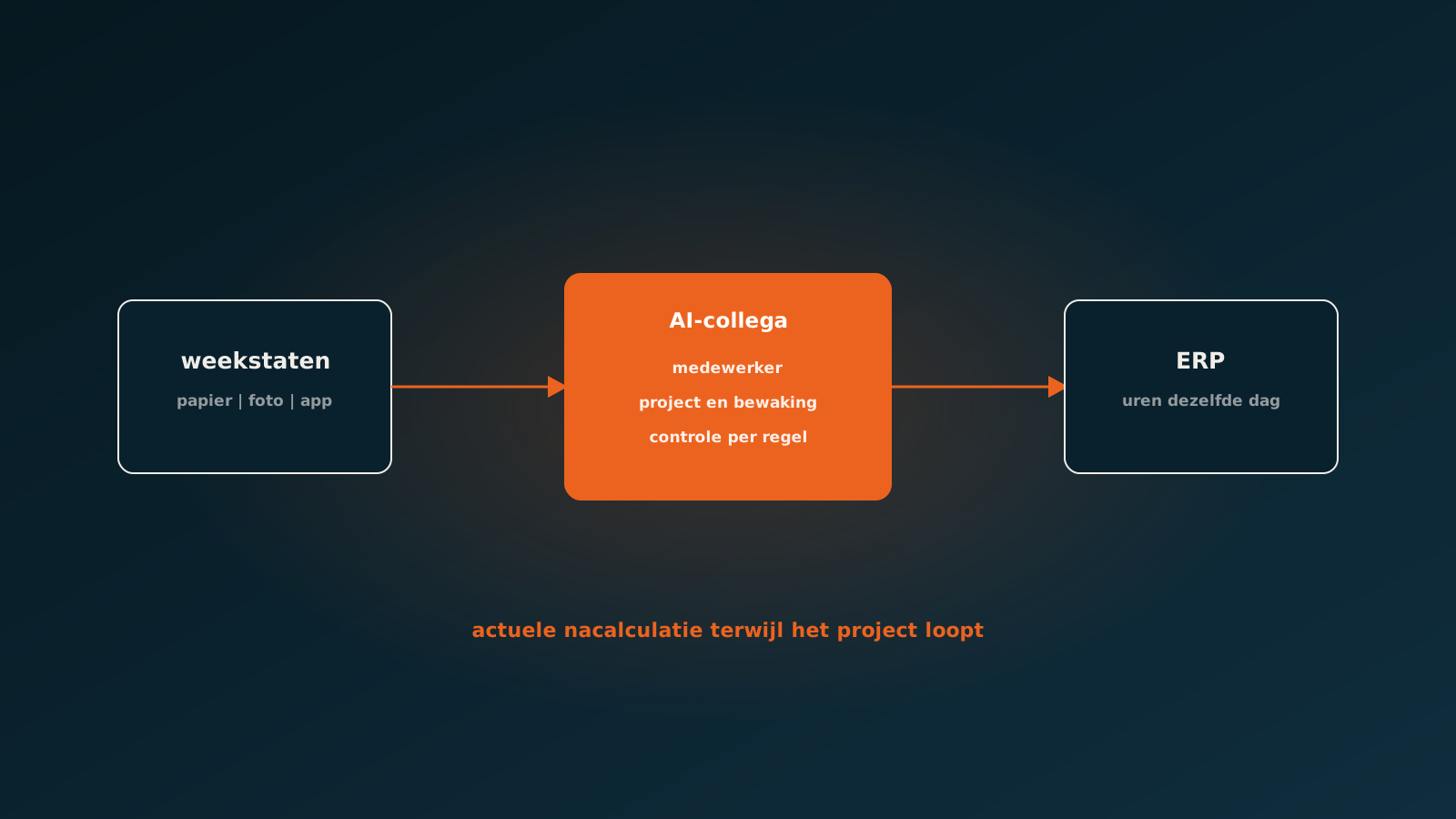
Automating time registration in construction means weekly timesheets and hours on job sheets, whether on paper, as photos or from an app, are automatically turned into time entries per employee, project and cost code in your ERP. An AI coworker reads the timesheet, links employee and project, checks for missing or duplicate hours and escalates deviations to the site manager. Hours are in the books the same day, and post-calculation is current while the project is still running.
Why construction hours arrive so late
On site, time registration is a side issue, and that is understandable. Hours are filled in on Friday, sometimes for the whole week after the fact, on a paper timesheet, in an app or on the back of a job sheet. On Monday someone in the back office retypes them: look up the employee, pick the project, set the cost code, apply surcharges.
As a result, hours only reach the ERP days later. The project manager steers on last week's figures, overruns only show once they have happened, and payroll waits for the last timesheets.
What an AI coworker does with a timesheet
- Reading: paper timesheets, photos, app exports and hours on job sheets, handwritten ones included.
- Linking: employee, project, phase and cost code in your ERP.
- Checking: missing days, duplicate hours, hours on a closed project or more hours than fit in a day.
- Surcharges: proposing overtime and surcharges according to your rules.
- Posting: the time entries in the ERP, ready for post-calculation and payroll.
- Escalating: doubtful cases go to the site manager or project manager, with the reason attached.
From hours to current post-calculation
The real gain is not the minutes of retyping you save but what current hours let you do. When hours are on the project the same day, the project manager sees an overrun while there is still time to act. An AI coworker can raise that signal itself: this project is at 85 percent of budgeted hours at 60 percent complete.
And in the next estimate you calculate with hours that are right, instead of hours booked to whichever project came to mind first.
Timesheets by hand or with an AI coworker
| Manual | With an AI coworker | |
|---|---|---|
| When it reaches the ERP | Days after the working day | The same day |
| Error checking | Spot checks, if there is time | Every line |
| Hours on the right project | Depends on handwriting and who enters it | Linked to project and cost code, doubts escalated |
| Overrun signal | At final settlement | While the project is running |
In which software?
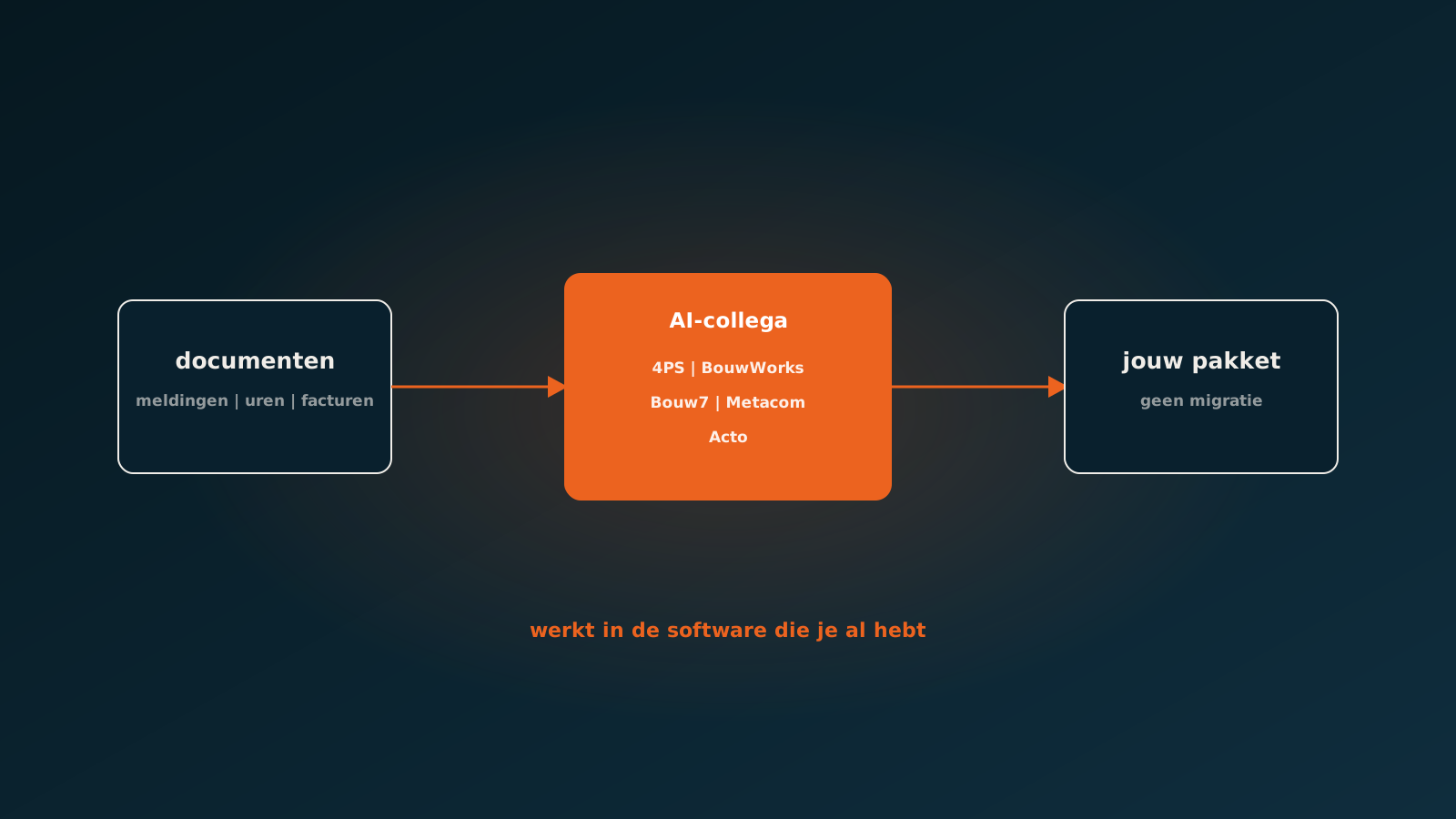
An AI coworker processes hours in the ERP you already have, such as 4PS, BouwWorks, Bouw7, Metacom or Acto, and in AFAS, Exact, Odoo or SAP. Your people do not have to switch to another app: the AI coworker reads what they already hand in.
Read next: connecting AI to your construction softwareFrequently asked questions
Can time registration in construction be automated?
Yes. An AI coworker reads weekly timesheets and job sheet hours, on paper, as photos or from an app, links employee and project and posts the hours in your ERP. Doubtful cases go to the site manager.
Do employees need to use a new time app?
No. The AI coworker reads what employees already hand in, including handwritten timesheets and photos.
How do you prevent hours on the wrong project?
The AI coworker links every line to a project and cost code in the ERP, checks whether the project is open and escalates unclear lines with the reason attached.
What does automated time registration deliver?
Hours are in the ERP the same day, every line is checked and post-calculation is current while the project runs, so you see overruns while you can still act.
Getting started
Send us ten anonymised timesheets or job sheets in the form they arrive in today. Within a week you see what an AI coworker does with them. An AI coworker is live within eight weeks on average. Plan your go-live whenever it suits you.
Keep reading
More insights
Curious what an AI coworker can do for your process?
Book a no-strings Quick Scan and explore the options.
Book a Quick Scan