Automating business processes with AI: where do you start?
Which process should you tackle first with AI? A clear selection framework based on volume, regularity and unstructured input points you to the process where the gains are largest.
Why the choice of your first process is decisive
Automating business processes rarely starts with the technology. It starts with deciding which process to tackle first. That choice determines whether the project shows results quickly or gets stuck in discussions and exceptions. Many companies pick the wrong starting point: a process that sounds impressive but happens rarely or carries too many exceptions.
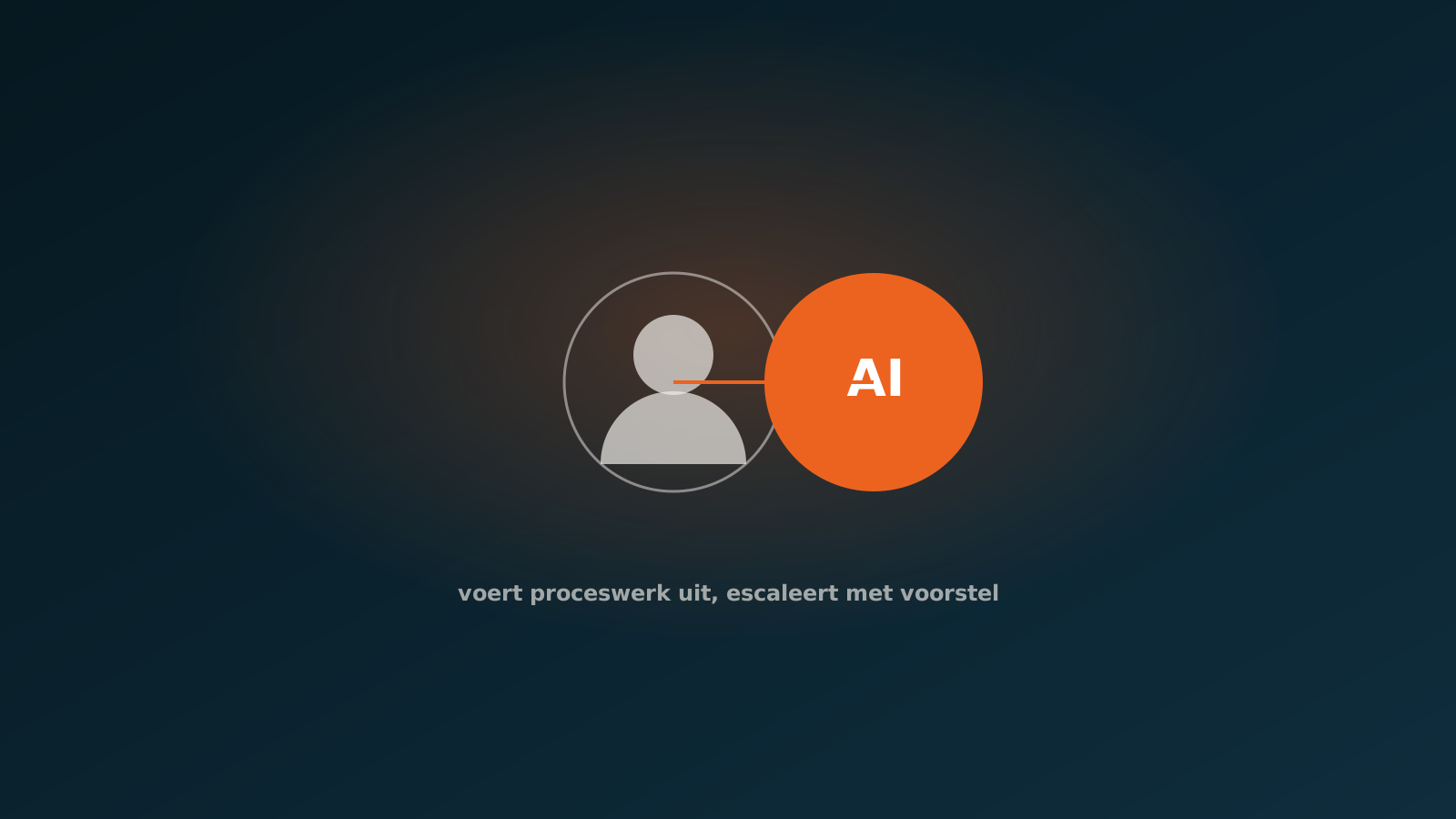
An AI coworker is an agent that does work on its own inside your ERP, whether that is SAP, AFAS, Exact or Dynamics 365. With your first process you learn how such an agent fits your way of working, how colleagues experience the collaboration and where a human stays in the loop. A well chosen first process delivers measurable time savings within weeks and builds the confidence you need for the next step.
The opposite happens too. Start with a rare, complex process full of exceptions and you will see little return on the investment, and you lose support along the way. So the question is not whether you can automate, but where you begin.
Three criteria: volume, regularity and unstructured input
To pick the right starting point, look at three criteria. Together they tell you where an AI coworker delivers the most and becomes reliable the fastest.
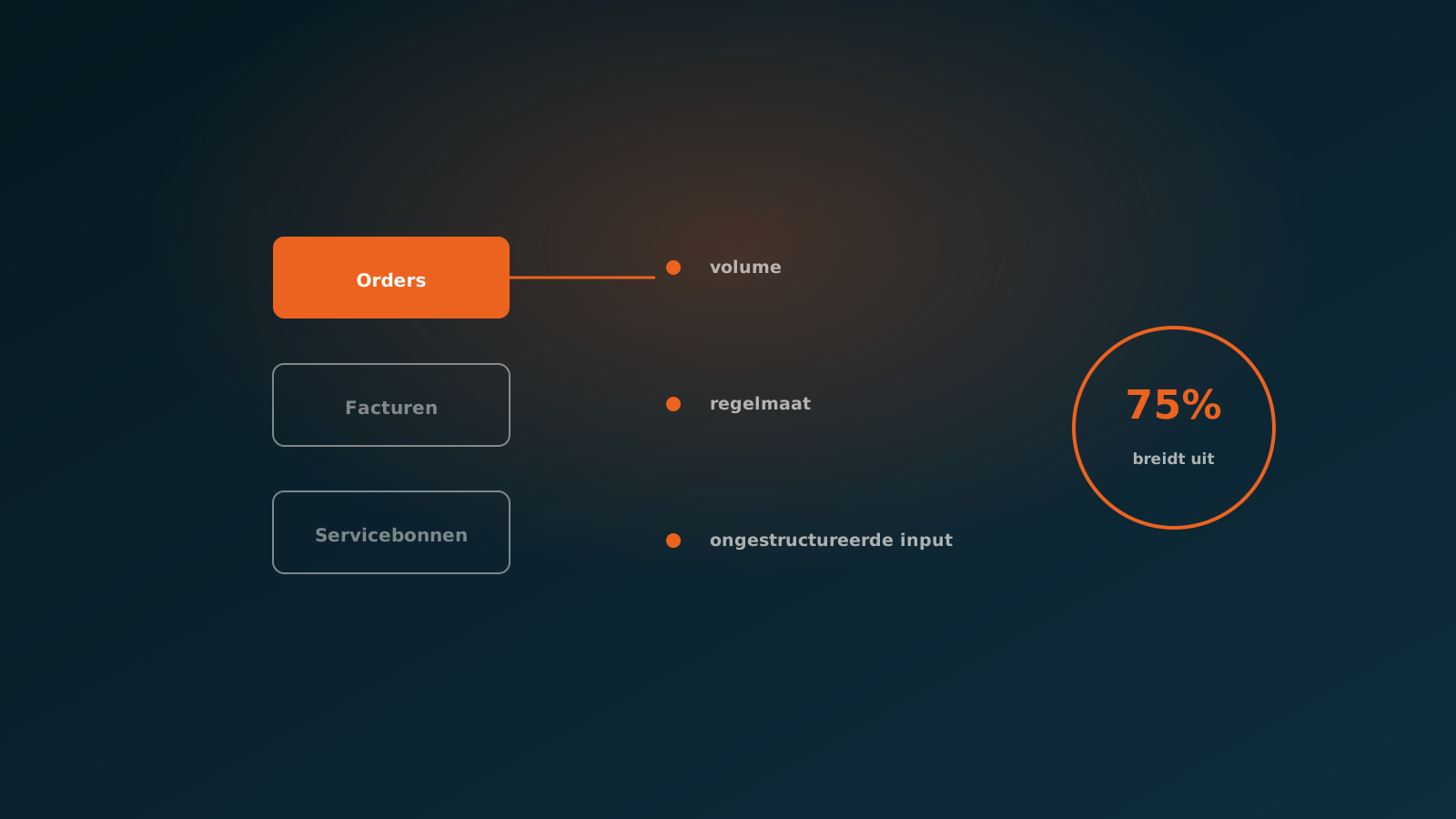
- Volume: how often does the process occur? A task that comes back hundreds of times a week delivers far more when automated than one you do ten times a month. High volume means every second saved adds up to a serious result.
- Regularity: does the process run in almost the same way every time? Processes with a fixed structure and clear rules are easier to make reliable. The fewer the exceptions, the faster the agent can work on its own, and the clearer it is when a human needs to step in.
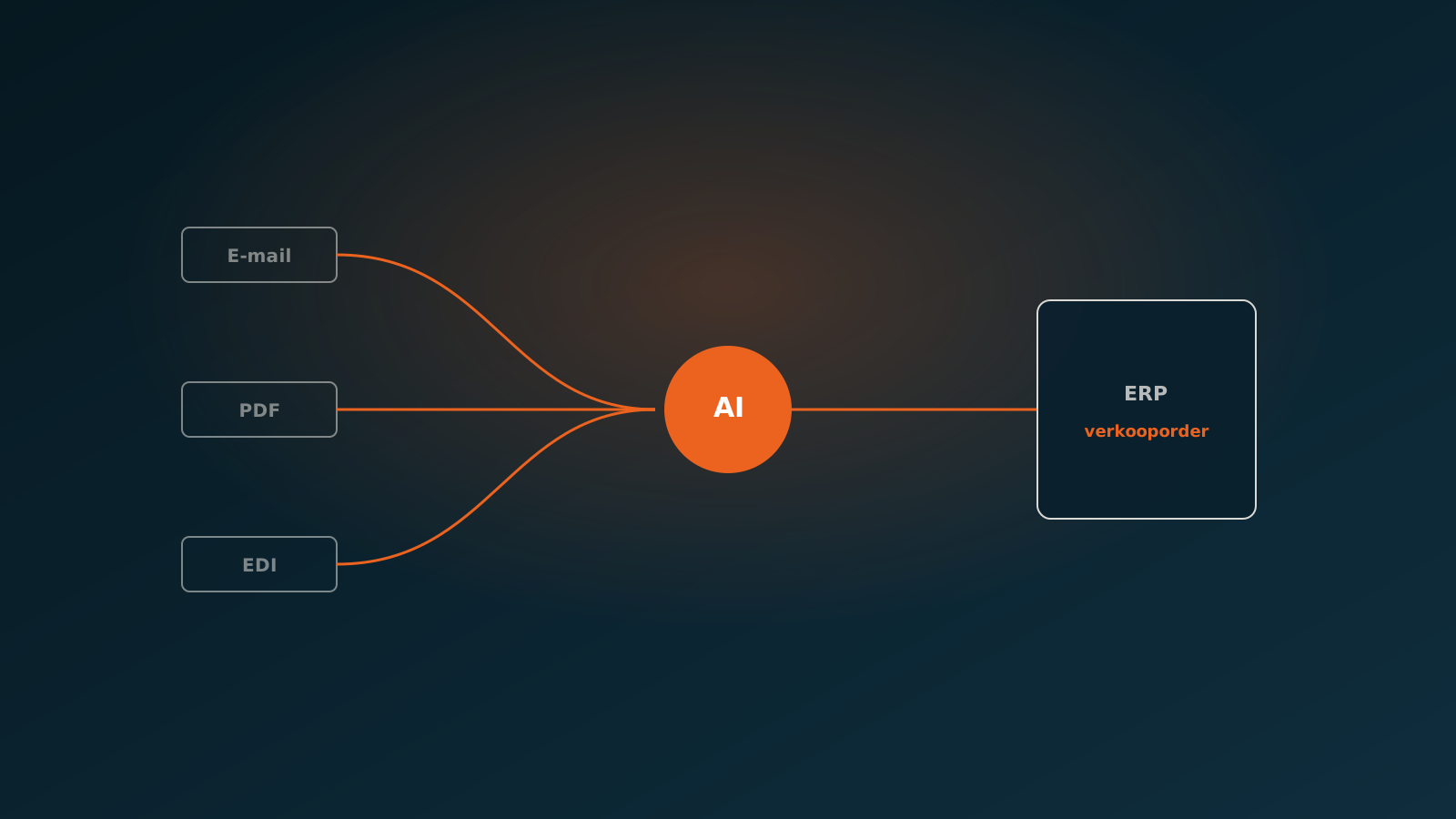
- Unstructured input: does the work arrive as email, PDF or a loose form that someone has to retype into the ERP by hand? That is exactly where hidden manual work lives. An AI coworker reads that unstructured input, extracts the right data and prepares it in the system.
A process that scores high on all three criteria is almost always a good starting point. High volume, strong regularity and plenty of unstructured input: that is the combination where manual work piles up and where an AI coworker makes the difference. If a process scores low on volume or high on exceptions, save it for later.
Common starting processes: orders, invoices, service tickets
In practice, the same processes keep coming up as strong starting points. They share the same traits: they happen often, run largely by fixed rules, and start with input that is currently copied over by hand.
Orders are the classic example. At a technical wholesaler they arrive by email, in every imaginable format, and have to go into the ERP line by line. High volume, recognisable pattern, unstructured input. An AI coworker reads the order, links items to the right codes and prepares the order, with a human in the loop whenever there is doubt.
Invoices follow the same logic. Purchase invoices arrive as PDFs and need to be matched to orders and booking lines in, for example, Exact Online or Dynamics 365. Service tickets are the third example: at a construction company or a horticulture company they come from outside, often half completed, and have to be turned into a clean registration. Each of these is a process with volume, regularity and unstructured input.
A Quick Scan to set priorities
The three criteria give you direction, but you should not make the choice on gut feeling. That is why every project starts with a Quick Scan. In it we look at your processes together, estimate volume and regularity, and map where the unstructured input comes from. The result is a short list with the process you can best automate first.
A Quick Scan prevents the two most common mistakes: starting with a process that happens too rarely to be worth it, or starting with a process that carries so many exceptions it will never become reliable. Instead of a hunch, you get a substantiated set of priorities, tailored to your ERP and your way of working.
The Quick Scan is deliberately short. The goal is not an endless report, but a clear answer to one question: which process do we deliver first, and what do we expect it to deliver?
What a first project delivers
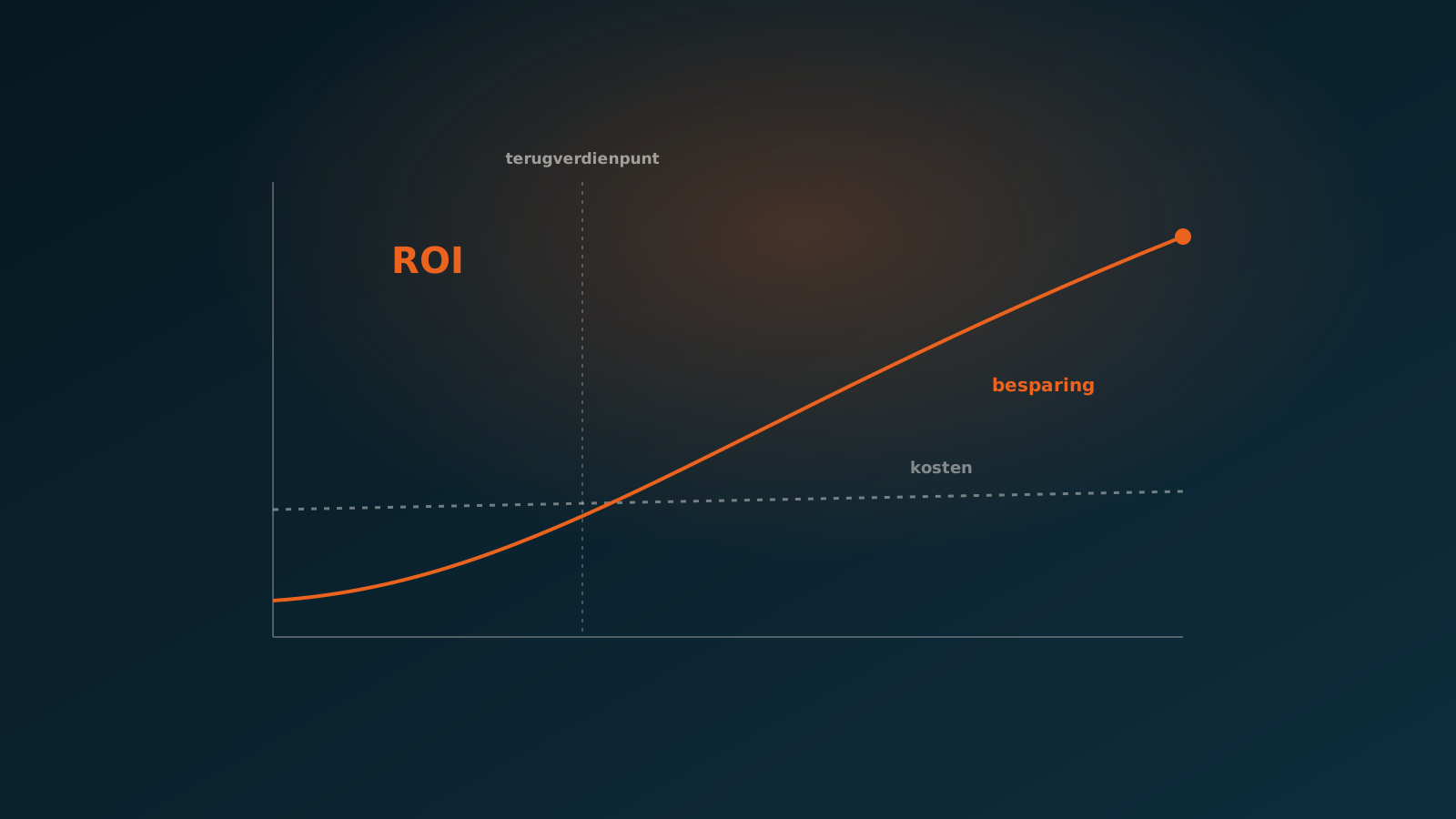
A well chosen first process pays off on two fronts. The first is measurable time savings: work that used to be retyped by hand now happens almost instantly, and colleagues free up time for the work where judgement really counts. At high volume that adds up fast.
The second is trust. A first project shows the organisation how an AI coworker works in practice: where the agent acts on its own, where a human stays in the loop, and how exceptions land neatly with the right person. That trust is at least as valuable as the time savings, because it makes the next step much easier.
By starting small and focused, you keep the risk contained and the result visible. You do not automate everything at once, but you prove the value on a process that matters.
Scaling up after your first AI coworker
The first AI coworker is rarely the last. Once one process runs reliably, the next one becomes visible on its own. What you learned about your data, your exceptions and your way of working carries over to the next process. That makes every following step faster.
We see that pattern across the board: 75% of customers expand to a next process after their first AI coworker. Companies that start with orders often look at invoices or service tickets next. The phased approach, which starts with a Quick Scan, keeps scaling manageable instead of turning it into one large one-off project.
- Start with the process that scores highest on volume, regularity and unstructured input.
- Prove the value, build trust and get to know your organisation.
- Expand to adjacent processes with the same traits.
- Keep a human in the loop for exceptions, at every step.
Next step
Automating business processes starts with the right choice, not the biggest ambition. Pick a process with volume, regularity and unstructured input, prove the value, and build from there. Want to know which process is your best starting point? Plan a Quick Scan and we will map out together where your first AI coworker delivers the most, so you can plan your go-live.
Curious what an AI coworker can do for your process?
Book a no-strings Quick Scan and explore the options.
Book a Quick Scan